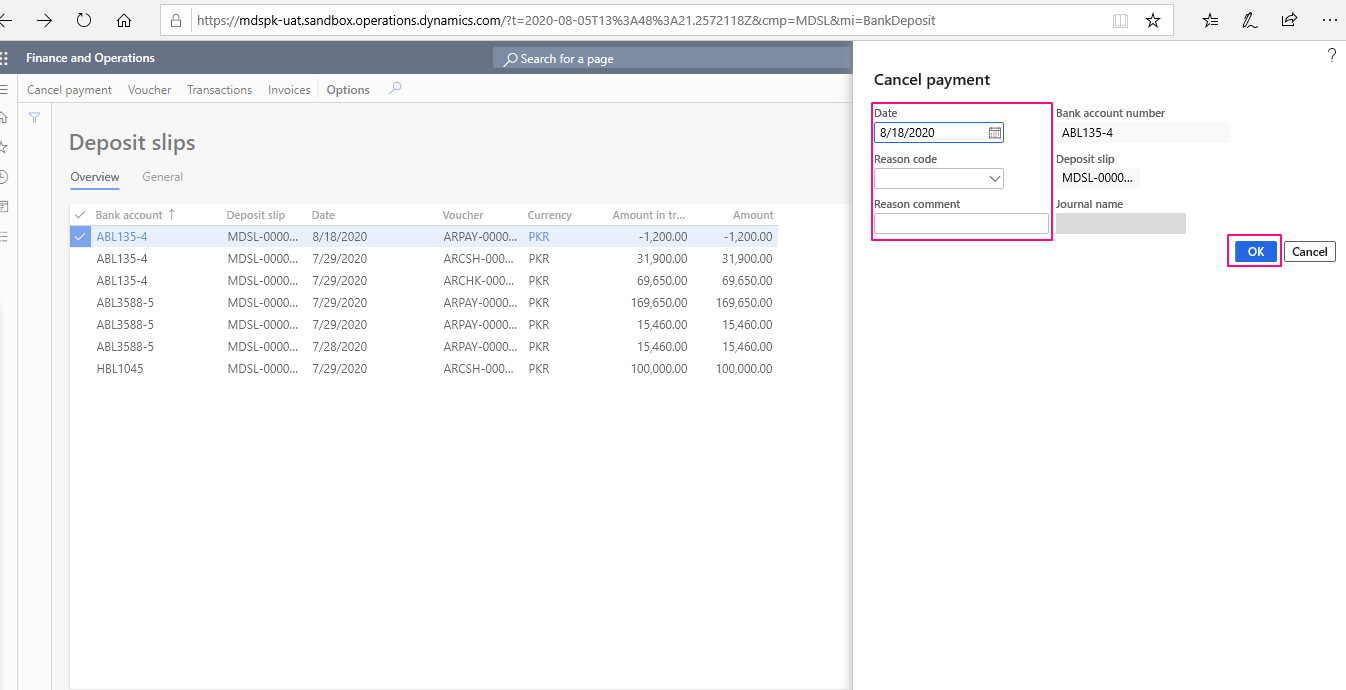
Void Created Deposit Slips:
Use the deposit slip form to view deposit slips for a bank account. You can open the voucher or the list
of invoices and transactions linked to the deposit slip. In this form, you can also cancel a payment
transaction on a deposit slip.
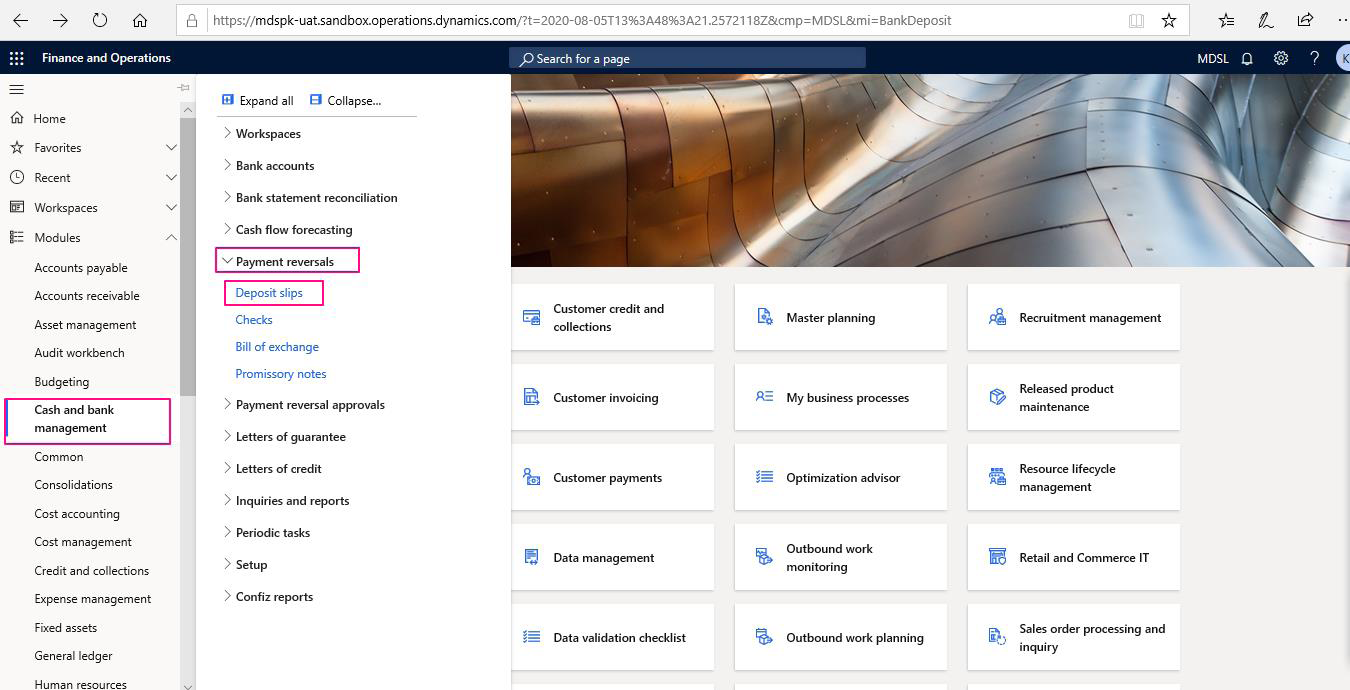
To Cancel a Deposit Slip user will Go to>Cash & Bank Management>Payment reversals>Deposit Slips

Open Deposit Slips and choose a Slip to Cancel.
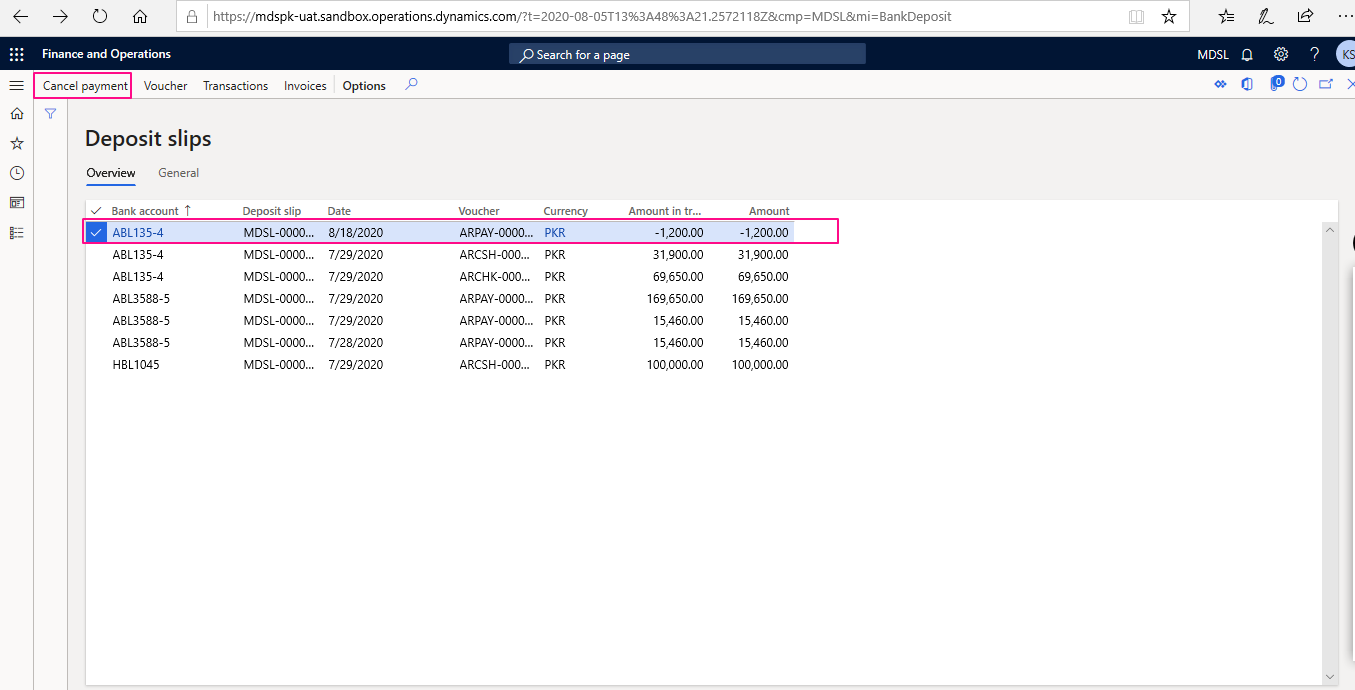

After choosing a Deposit Slip access “Cancel Payment” function to Cancel a deposit Slip. Fill in the Reason code and cancellation Date. At the end click Ok.