
Create a Financial Dimension:
Financial dimensions are used to provide detailed information about the transactions in the general ledger.
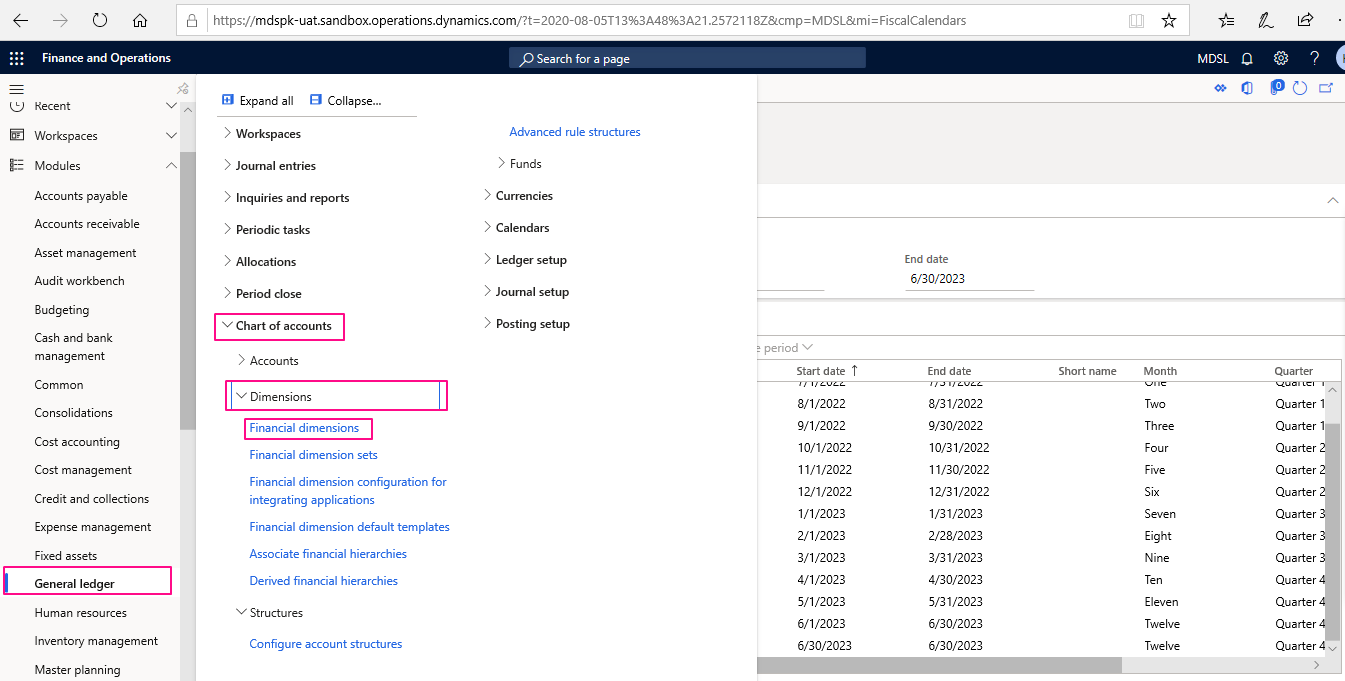
To create a Financial dimension, go to General ledger>Chart of Accounts>Dimensions>Financial Dimensions.

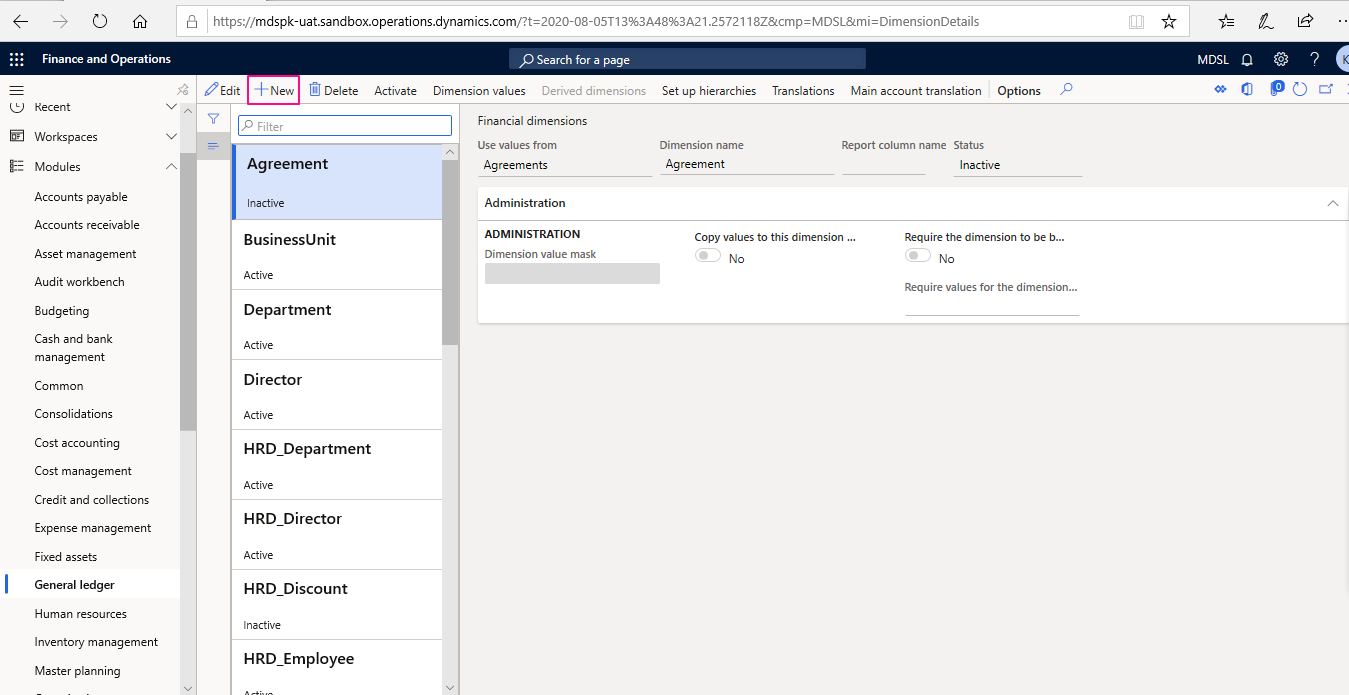
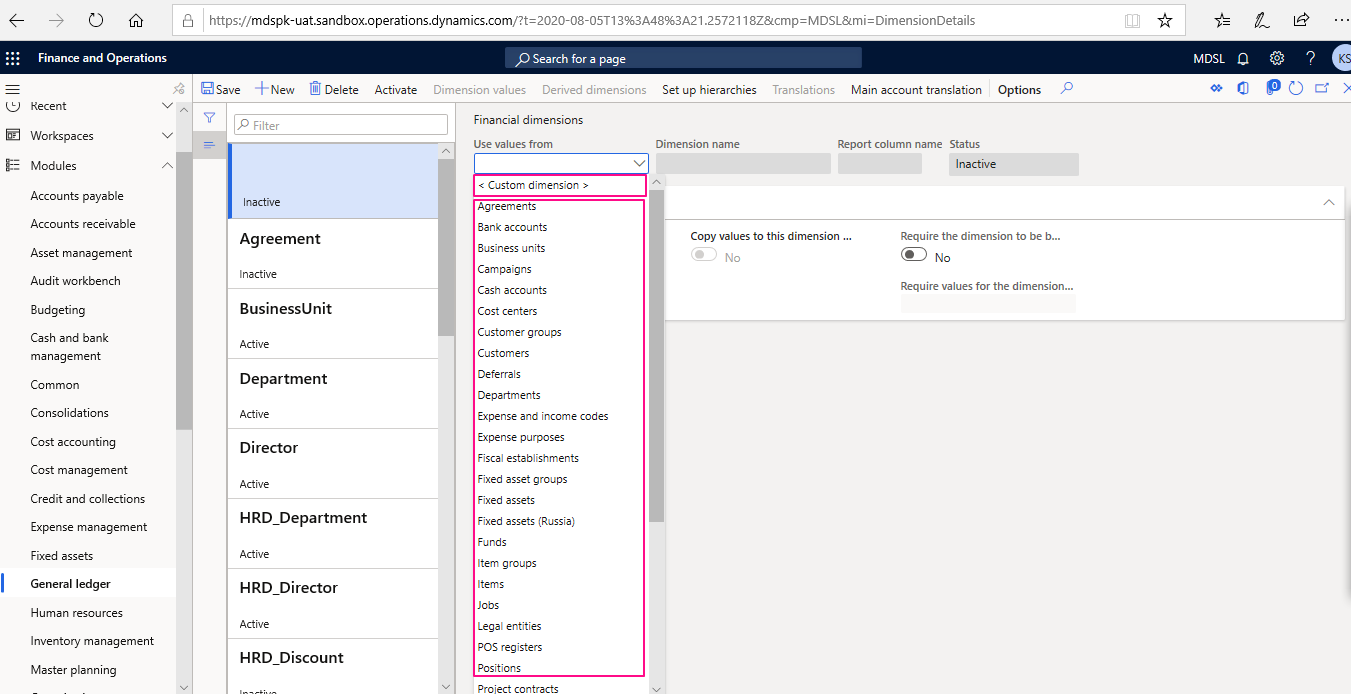
Open the Financial Dimensions, click new to create a new one. User may create a dimension from existing dimension values or define a custom dimension.

Choose a dimension from values dropdown as shown below:

After creating a dimension choose defined dimension and define its values.
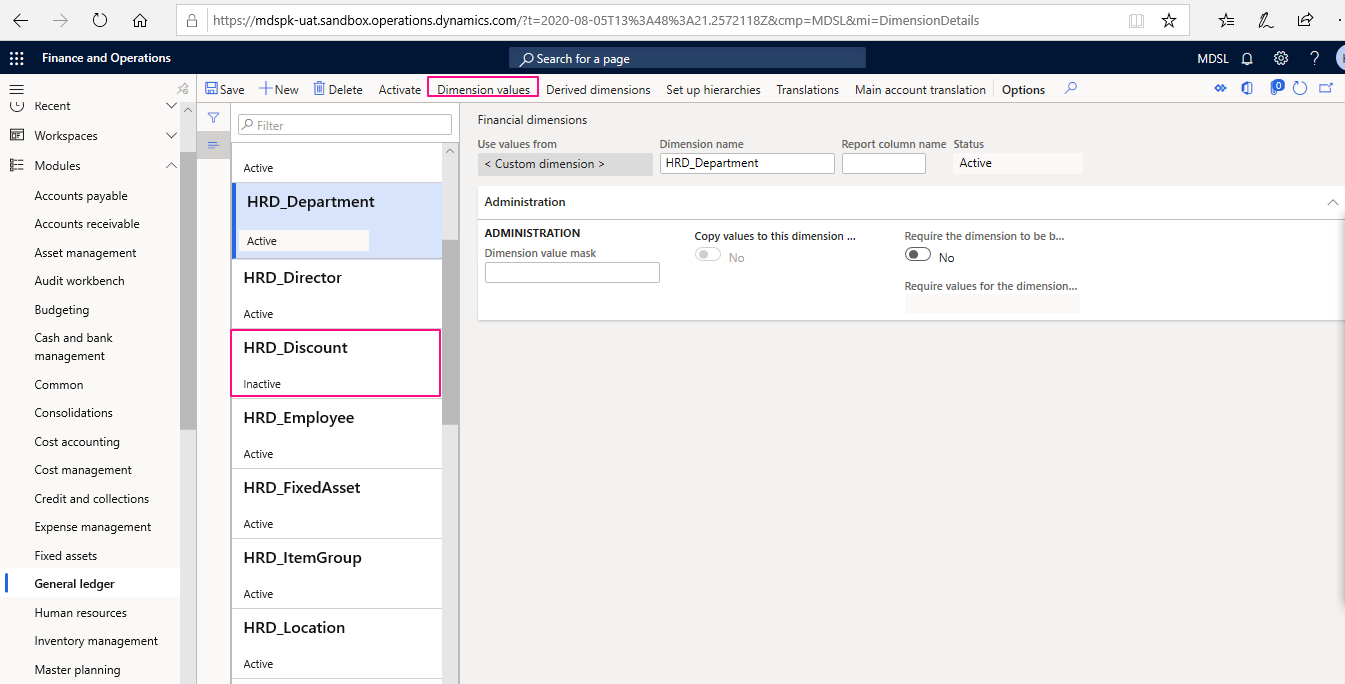

After opening dimension values form click new to create a new value for selected financial dimension.
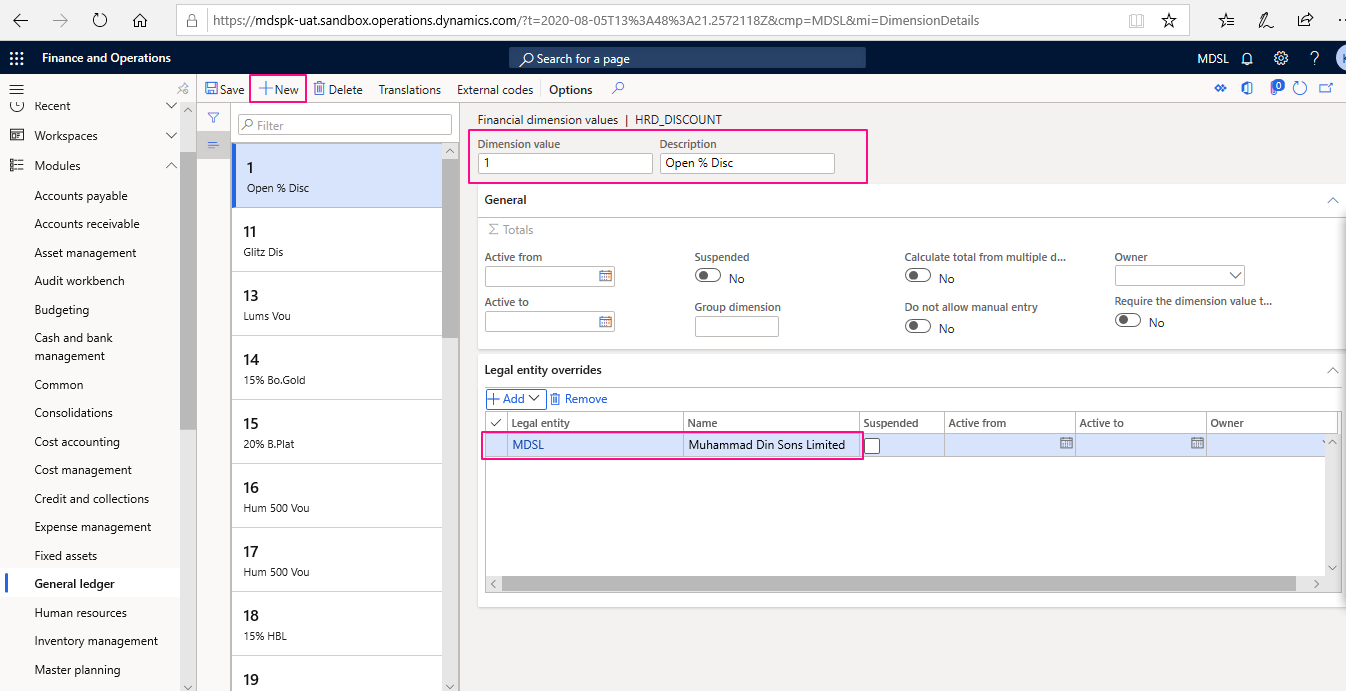

Enter the Dimension Value code, Description or assign legal entity in order to limit the dimension value for a particular legal entity as shown above.
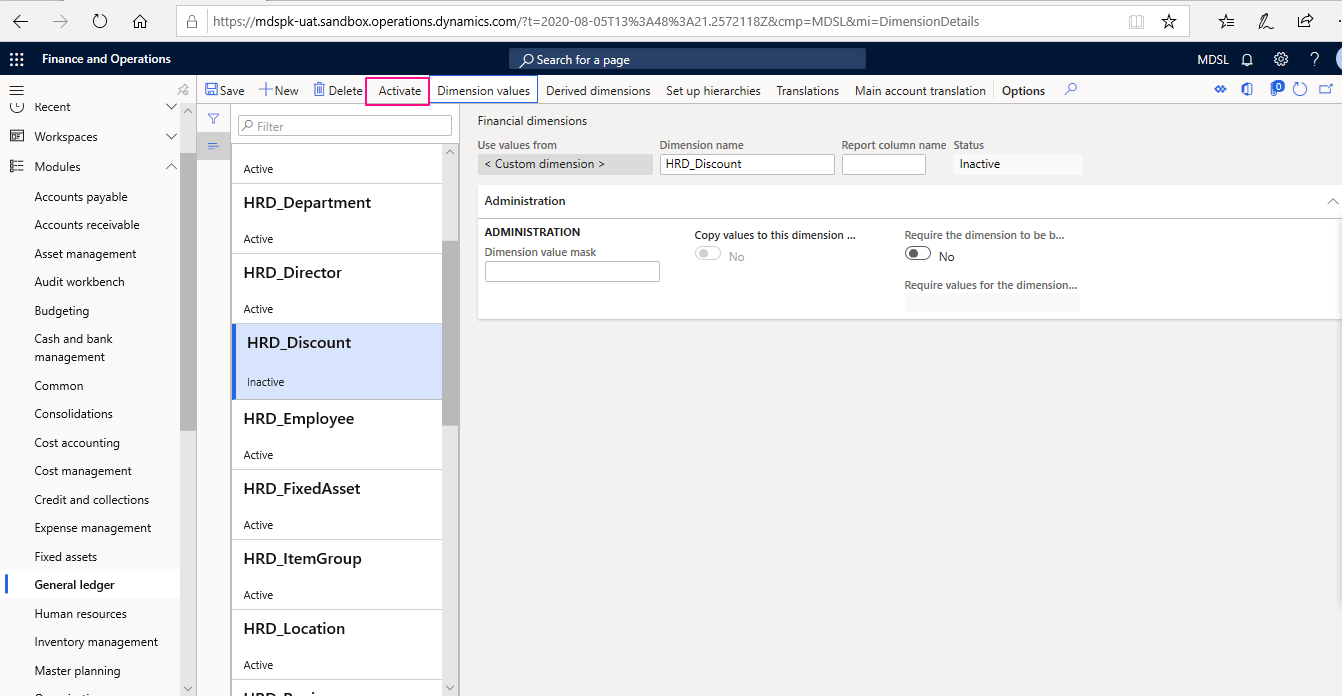

The final step is to activate the newly created dimension. Make sure the server is running in maintenance mode.