
Introduction
This manual provides detailed instructions on using the feature in D365FO: ‘Enable process automation for accounts receivable and accounts payable foreign currency revaluation’.
This feature is designed to streamline and automate the process of revaluing foreign currency transactions, enhancing efficiency and accuracy in financial operations.
Feature Overview
The ‘Enable process automation for accounts receivable and accounts payable foreign currency revaluation’ feature allows users to automate the revaluation process for transactions in foreign currencies. This includes accounts receivable and accounts payable, ensuring that financial statements accurately reflect currency fluctuations.
Key Benefits
- Increased Efficiency: Automates repetitive tasks, reducing manual
- Improved Accuracy: Minimizes errors associated with manual
- Timely Revaluations: Ensures regular and timely updates to financial
- Compliance: Helps maintain compliance with accounting standards and regulations.
Configuration:
- Enabling the Feature
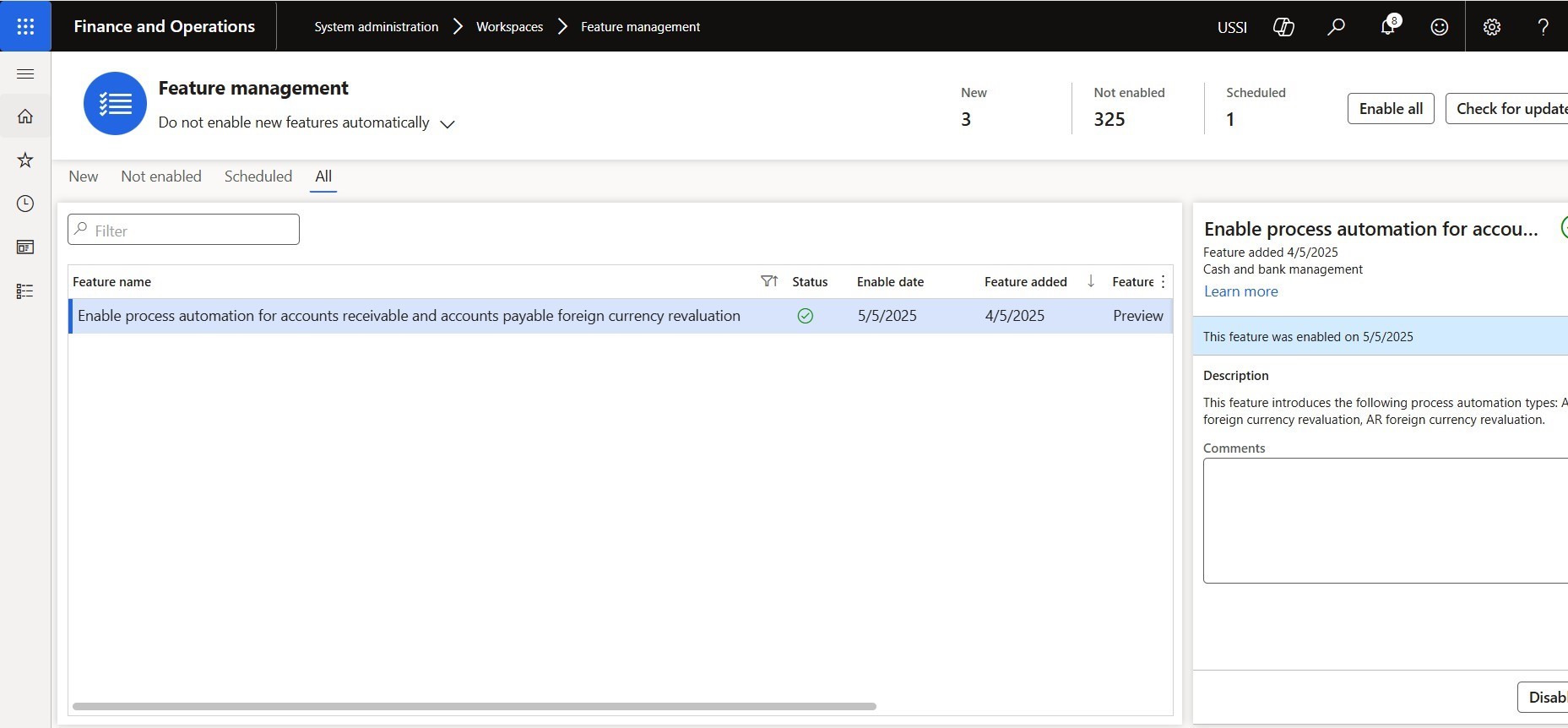
- Go to Workspace > Feature management > All
- Select “Enable process automation for accounts receivable and accounts payable foreign currency revaluation” feature and Click on

1. Configuring Process Automation Defining Automation Schedules
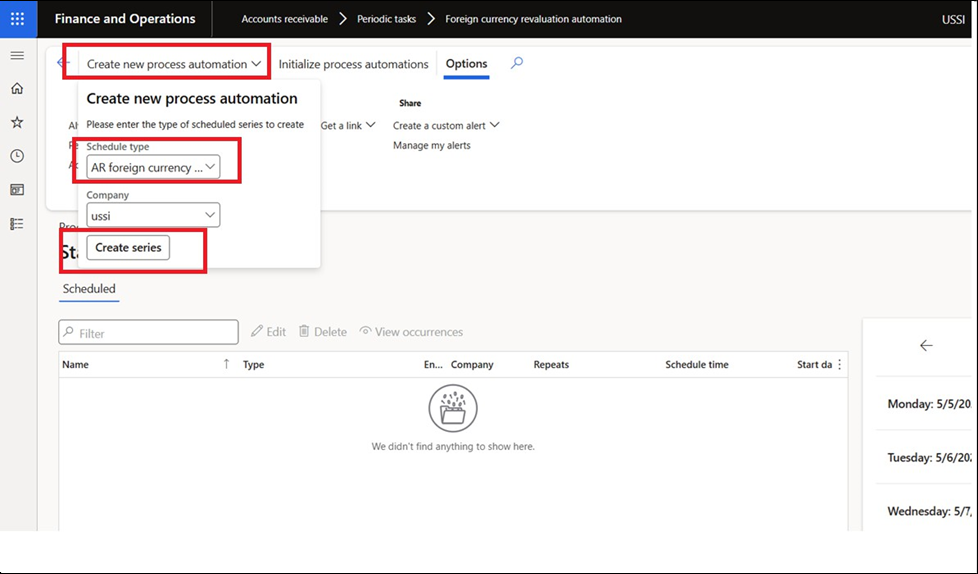
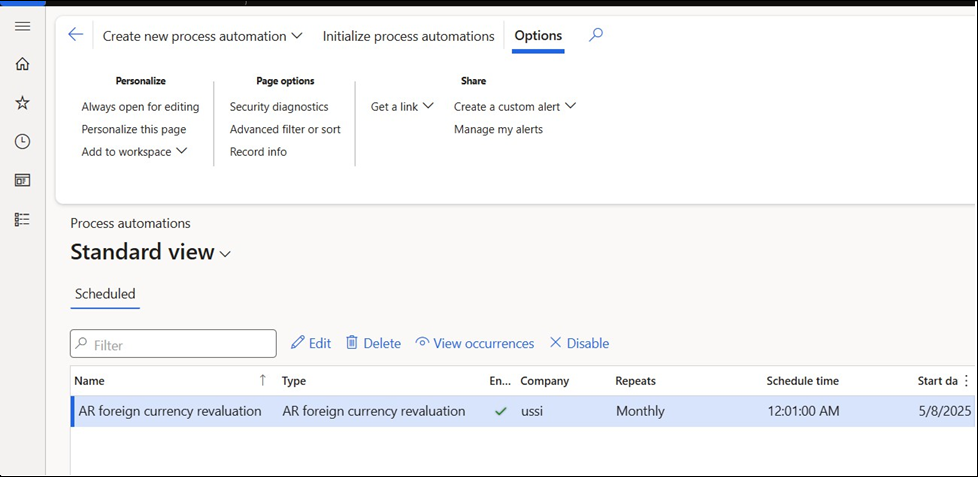
- Go to AR > Periodic Tasks > Foreign currency revaluation (Same option is available in Account Payable module for AP transactions)
- Click on create a new process automation button and select schedule type e. AR Foreign currency Revaluation from dropdown and click on Create Series.
- Note: If User is not able to see any Schedule type, click on the button ‘Initialize process

- Add Name and Description of Process automation
- Select the start date of process automation batch job and define occurrence pattern
- Note: We will run this process every 2ndday of the
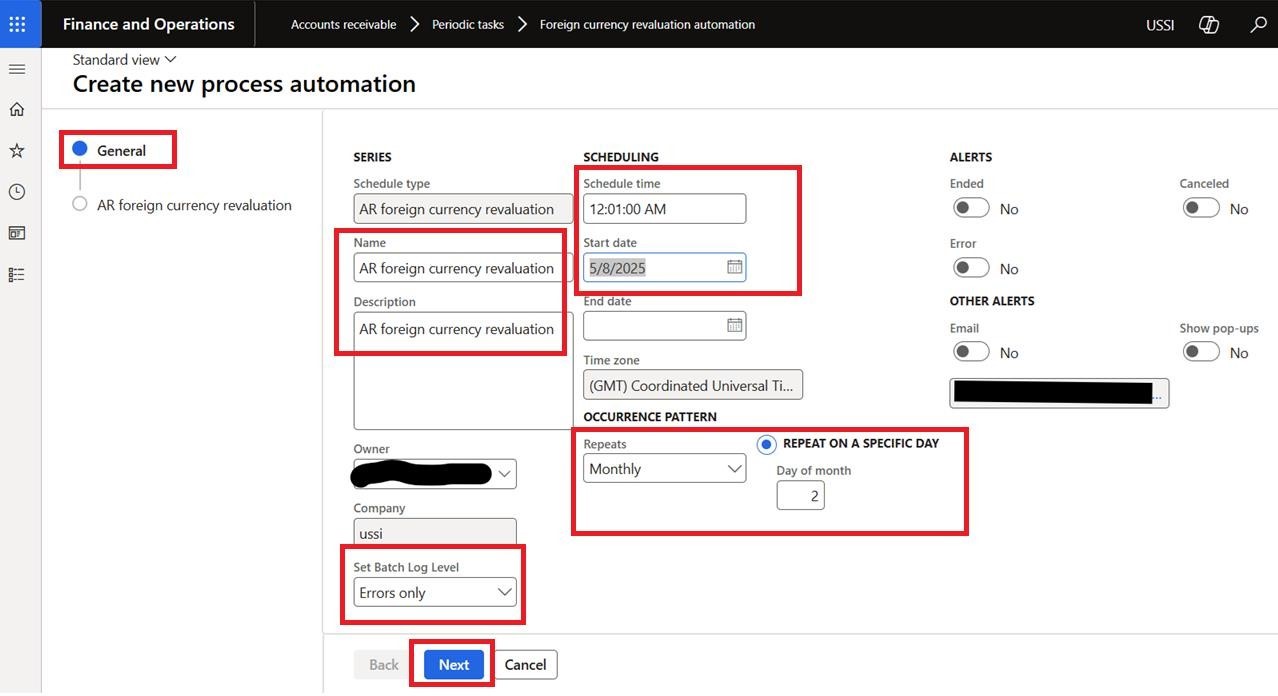

- Click on Next
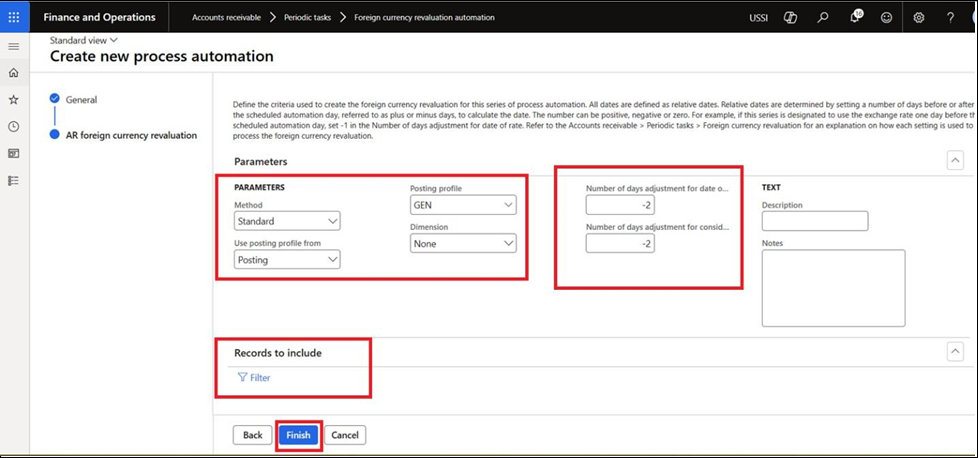
- Define parameter e. Method like Standard, Minimum or Invoice Date
- Standard – Foreign currency revaluation jobs are posted, regardless of whether the result is a profit or a
- Minimum – Foreign currency revaluation jobs are posted only if the result is a
- Invoice date – Foreign currency revaluation jobs use the original exchange rate of the transactions, which are revalued to their original value in the accounting The effect of any prior foreign currency revaluation is canceled.
- Select Use Posting Profile from e. Posting or Select
- Posting – The posting profile of the customer transaction is
- Select – Enter the posting profile in the Posting profile
- Select Dimension e. None, Table or Posting
- None – No financial dimensions are If you have a required financial dimension in your account structure, the revaluation process still runs and creates accounting entries that have no financial dimensions. You receive a warning message first, so that you can cancel the revaluation.
- Table – The financial dimensions of the customer account or vendor account are posted on the foreign currency revaluation
- Posting – The financial dimensions of the transaction that is being revalued are posted on the foreign currency revaluation By default, the financial dimensions from the original transaction’s Accounts receivable or Accounts payable ledger account is used for the revaluation transaction’s Accounts receivable or Accounts payable main account. The financial
dimensions from the original transaction’s expense, asset, or revenue ledger account are used for the revaluation transaction’s unrealized gain or loss main account.
- Add Number of days adjustment for date of rate: In this field user set up the calculation of days in relation to the day that the process automation As per our above set up, process automation runs every 2nd day of the month, minus 2
means that the last day of the previous month. So, System will consider last date of every month date where the rate needs to be taken from.
- Add Number of days adjustment for considered date: Considered date means system will consider open transaction till that date. In our case if I add minus 2 then the system will consider the last date of every month for open transactions.
- In Record to include section add criteria to filter what transactions user want to reevaluate when process automation runs.
- Click on
- Once the process is run as per occurrence pattern, the system will create revaluation transaction in AR > Periodic Task > Foreign currency revaluation form. (Same path available in AP module)


Conclusion
The ‘Enable process automation for accounts receivable and accounts payable foreign currency revaluation’ feature is a powerful tool to enhance the efficiency and accuracy of financial operations in D365FO. By following this user manual, you can effectively configure and utilize this feature to its fullest potential.