
Introduction
This guide provides a step-by-step process for creating and associating signing limit policy within workflows in Dynamics 365 for Finance and Operations. In D365 FCO a signing limit policy defines the maximum financial amount a user can approve or spend on behalf of their organization. These policies are crucial for controlling spending and ensuring proper approvals within the organization’s financial workflows.
Types:
- Approval Limits: Define the maximum amount a user can approve for a specific business document (e.g., purchase requisition, invoice).
- Spending Limits: Define the maximum amount a user can spend on a specific document type.
Business Scenario
If a purchase requisition (PR) amount is less than 50,000 USD, it must be approved based on managerial hierarchy and approval limits for example if amount is between 0.01 to 10000, approval should directly go to Purchase agent and if amount is between 10001 to 50000, approval should directly go to Purchase Manager depends of requester managerial hierarchy.
Setup
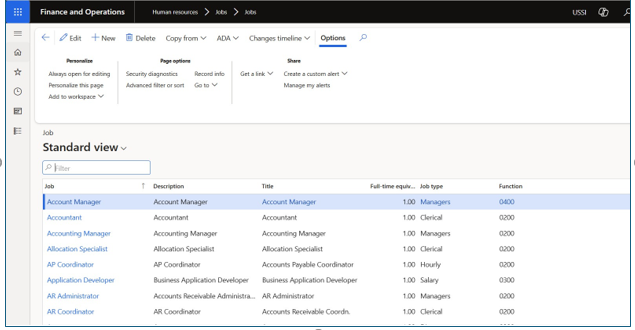
- Create a Jobs in Job
- Go to Human Resources > Jobs > Jobs

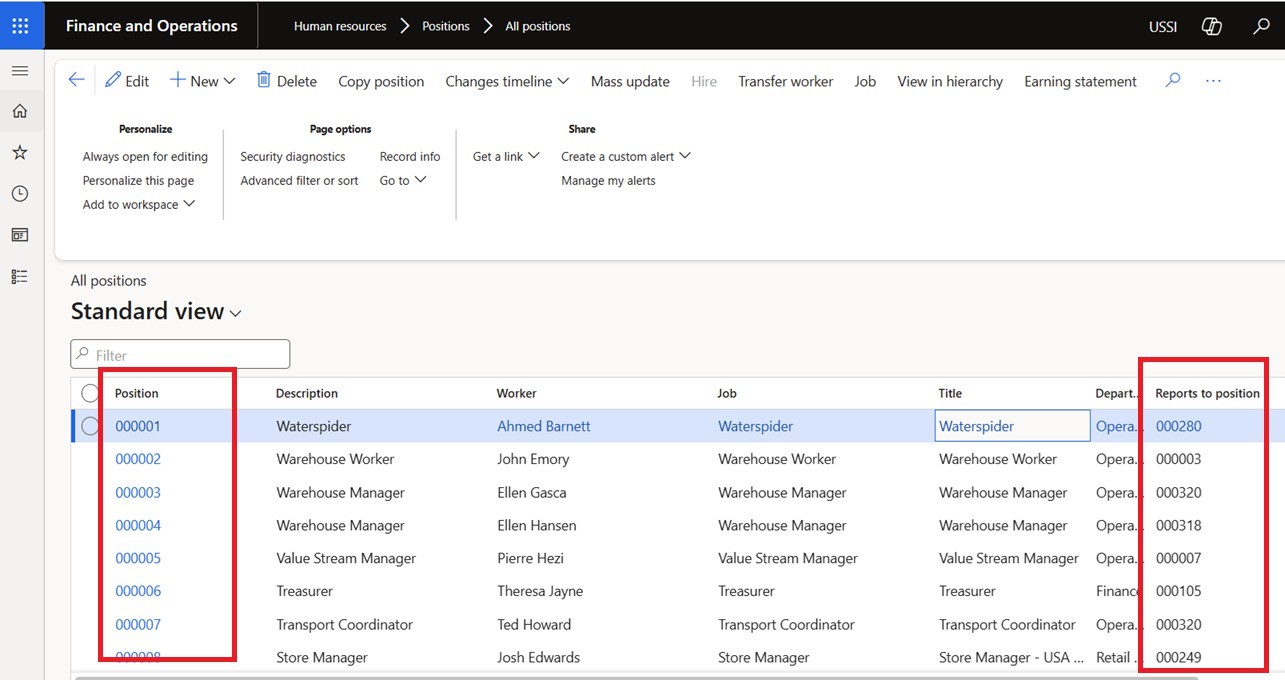
- Create a Position hierarchy and map to Jobs
- Go to Human Resources > Positions > All Positions

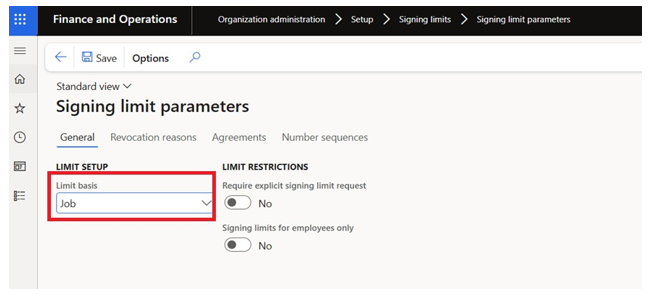
- Define Signing limit parameter
- Go to Organization administration > Set up > Signing limit > Signing limit Parameter
- Limit Basis should be

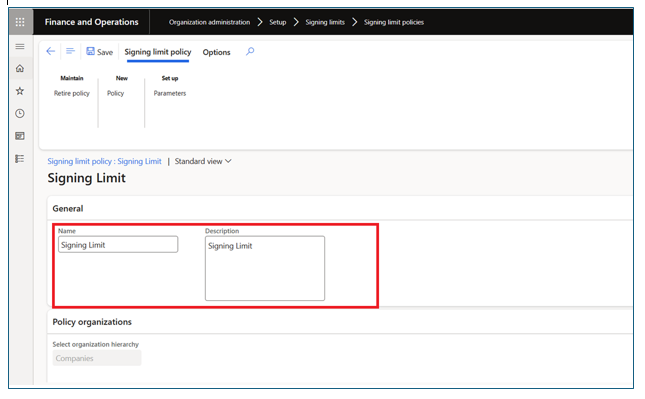
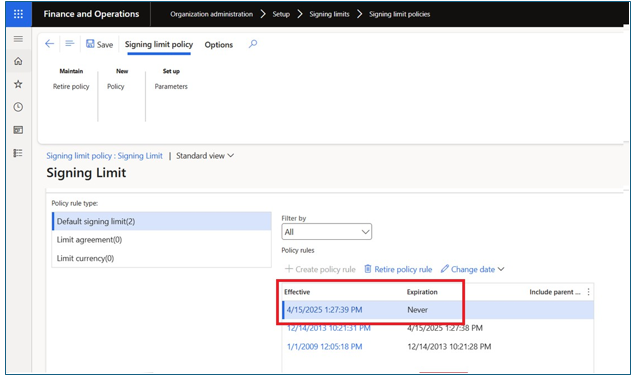
- Signing limit policies
- Go to Organization administration > Set up > Signing limit > Signing limit
- Click on New button and create a new
- Enter Name and

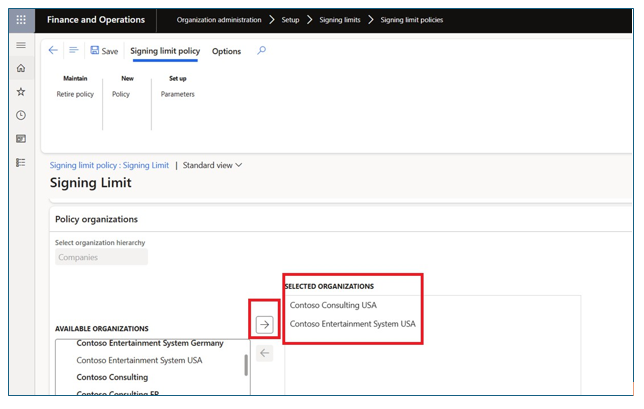
- Move applicable Legal entity in Selected Organization section

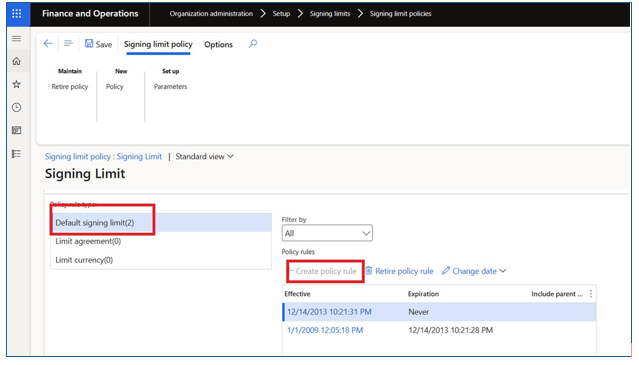
- In Policy rules section > Select Default signing limit and click on Create Policy rule
- User can define signing limit for:
- Purchase order
- Purchase requisitions
- Expense report
- Invoice (Vendor Invoice)
- Travel requisition

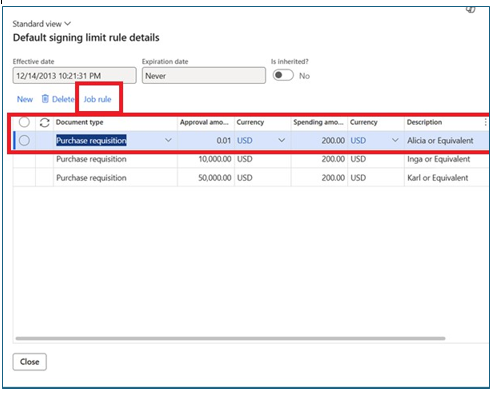

- Note: User can add approval amount as well as Spending amount limit if
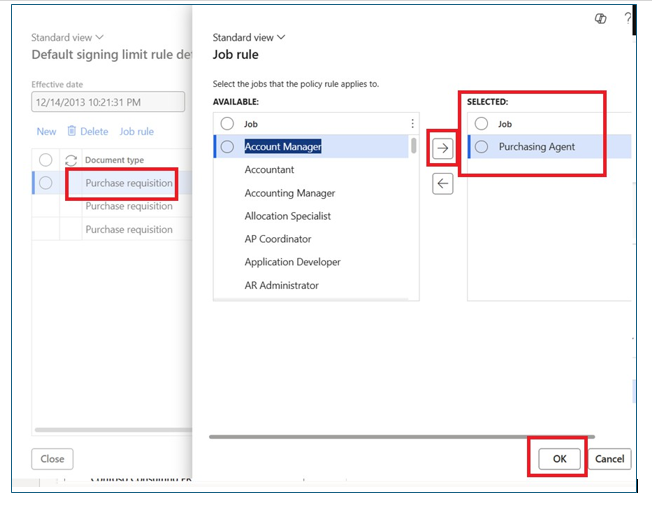
- Click on Job rule and define Jobs applicable for that signing limit
- Click on Ok

- Save the record and close the System will create expire old policy and create new policy with current date

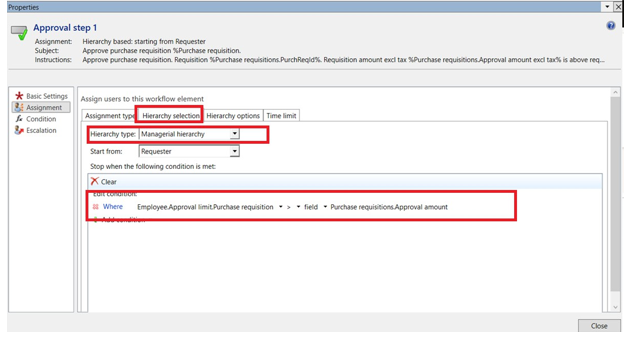
- Define workflow (In our case Purchase requisition workflow)
- In workflow select Managerial Hierarchy and add stop
- Save and activate new version of

Submit the Purchase Requisition
- Create and submit the purchase requisition for
- The purchase requisition will be routed to the appropriate person according to the approval signing limit If the PR amount is less than $10,000, it will be assigned to the Purchase Agent. If the amount is between $10,001 and $50,000, it will be assigned to the Purchase Manager.
Conclusion
By following these steps, organizations can ensure that their purchase requisitions are processed efficiently and in accordance with their specific approval policies. This streamlined approach not only saves time but also mitigates the risk of errors and unauthorized expenditures, ultimately
contributing to better financial management and operational control.
Hope this will help.