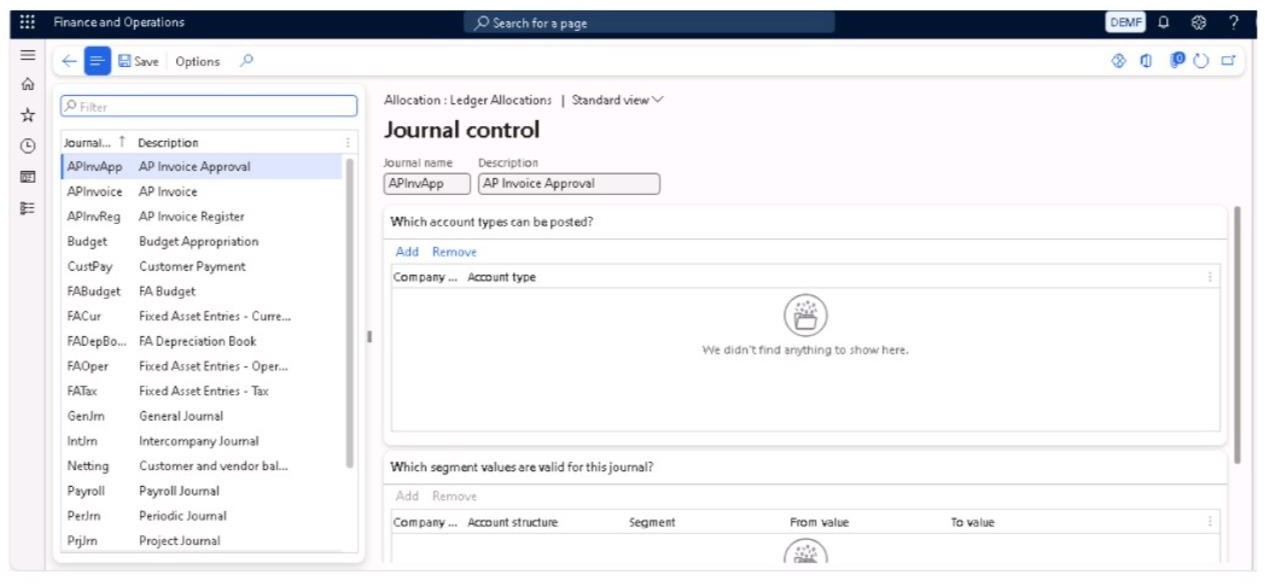
Journal Names are configurations used in Dynamics 365 to categorize and control the behavior of financial journals. These configurations define how different types of journals operate, such as:
- General Journals
- Payment Journals
- Periodic Journals
Journal names also define important rules, including:
- Journal type
- Voucher number series
- Posting layer
- Approval process
These rules help ensure consistency, control, and compliance in financial postings.
Path to Create Journal Names
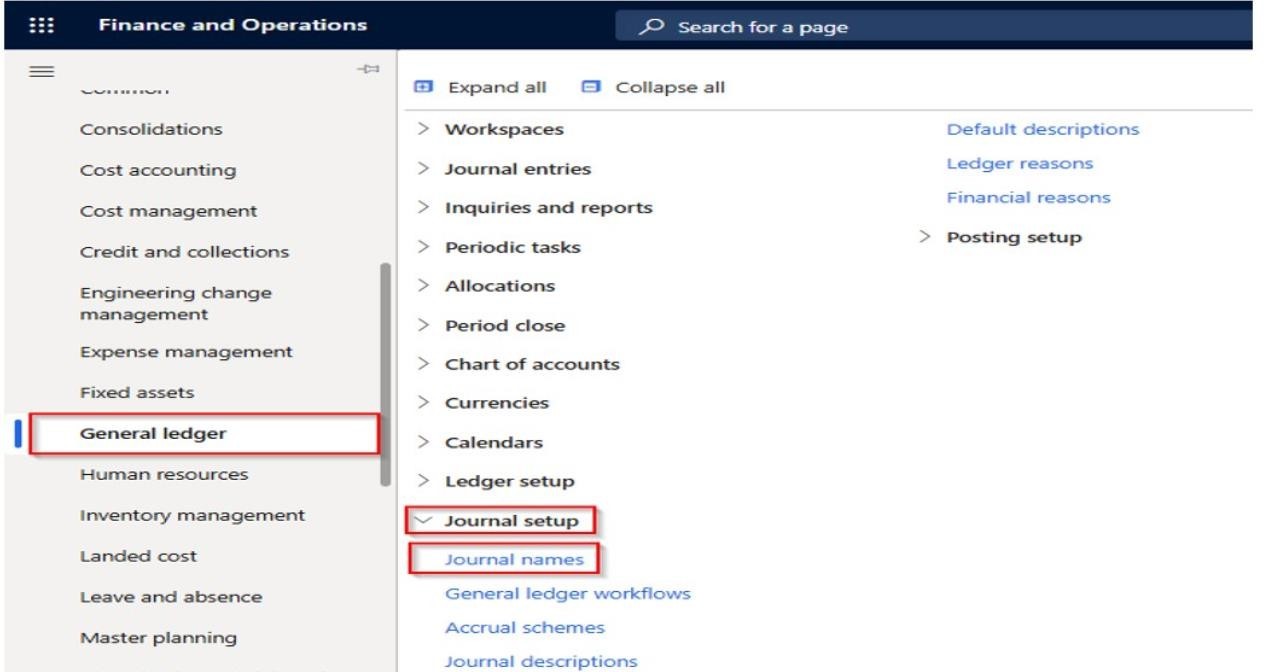

Click on New.
Mention Journa Name and Description
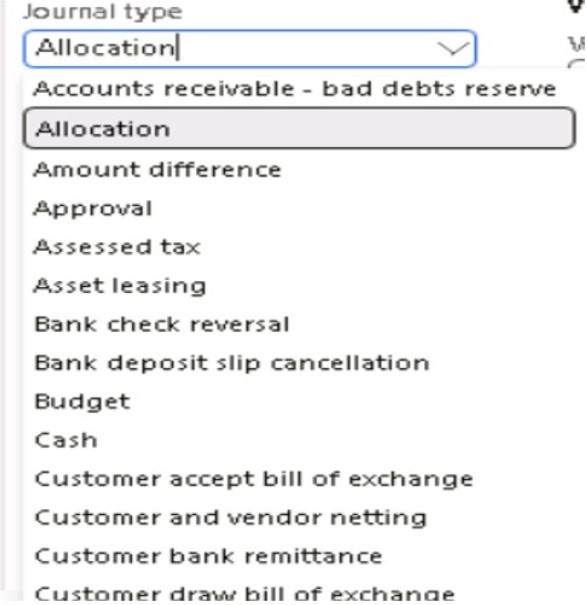
In Journal type we will mention the type in which we want to pass the entry.

Approval Methods
There are two ways to take approvals in the system.
1. Single Approval
When approval is required from only one higher authority, the Approval option is activated. In this method, the journal is reviewed and approved by a single approver before posting.
2.(Second approval method can be added here)
(You can describe workflow-based or multiple-level approval in this section if needed.)
When multiple approvals are required, the Approval Workflow is activated.
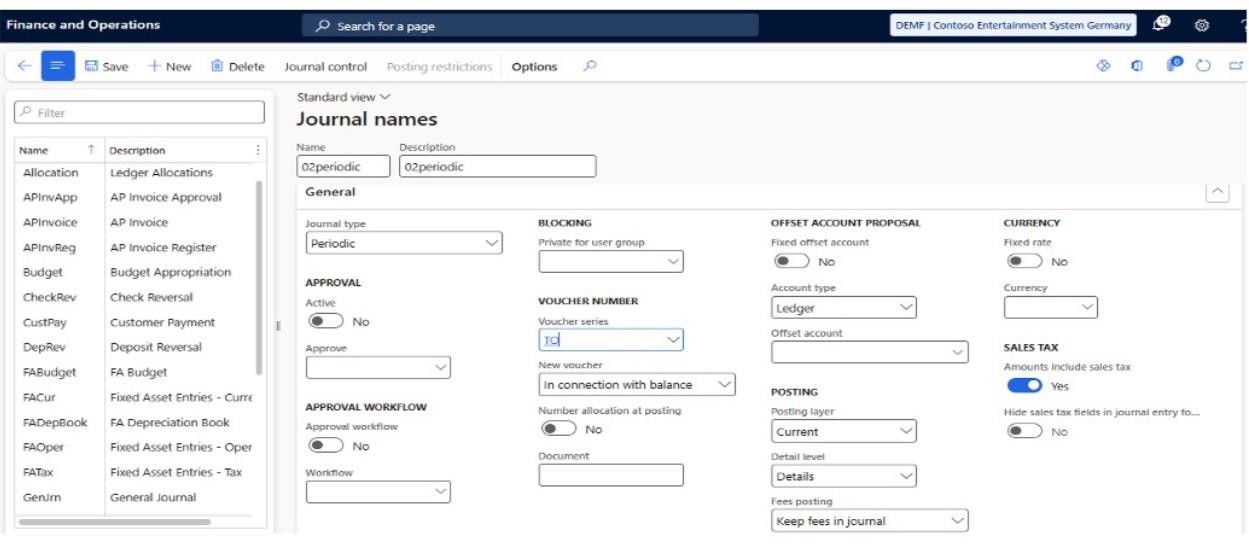

Private for User Group
This option allows restricting a journal name to a specific user group. Once selected, the journal will be accessible only to that user group and blocked for all others.
Voucher Number
Voucher Series is a unique number sequence assigned to a specific journal name for voucher generation.
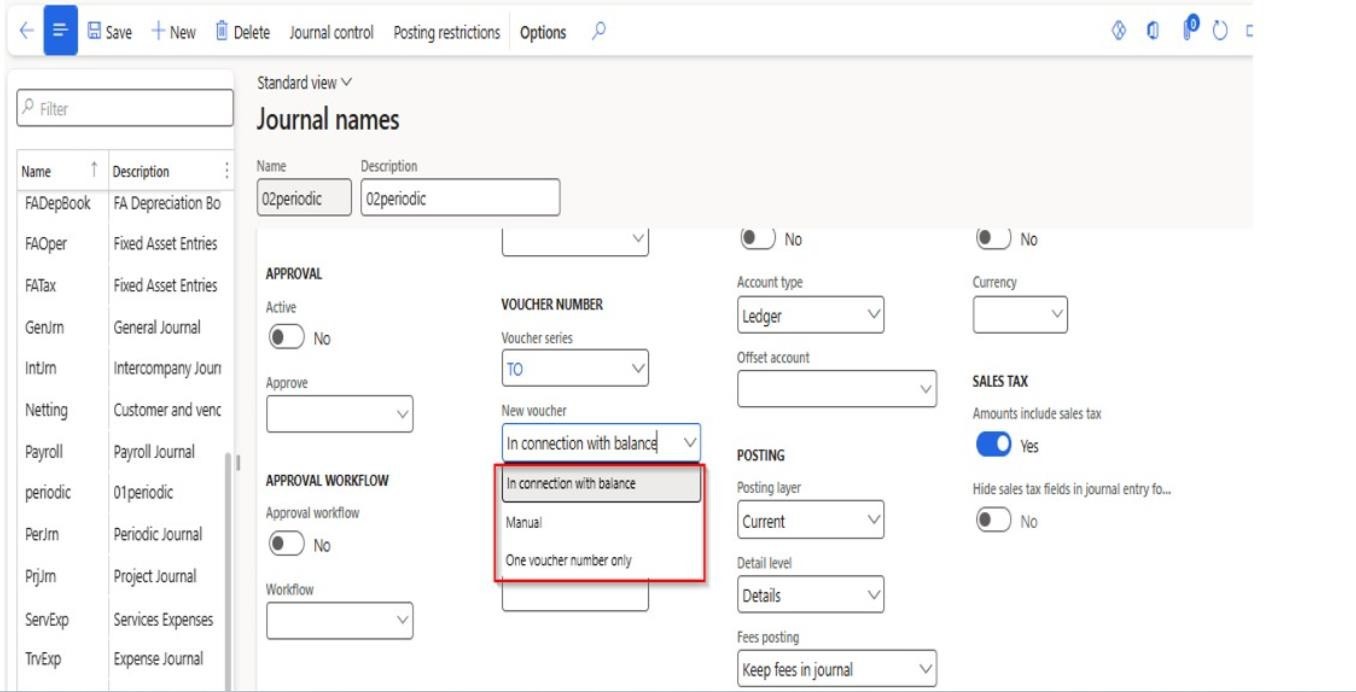

In connection with balance
The voucher number remains the same until the journal entry is balanced. All transactions under the same voucher must balance (total debits = total credits).
Manual
The voucher number is entered manually for each journal line.
One voucher number only
All transactions in the journal use the same voucher number.
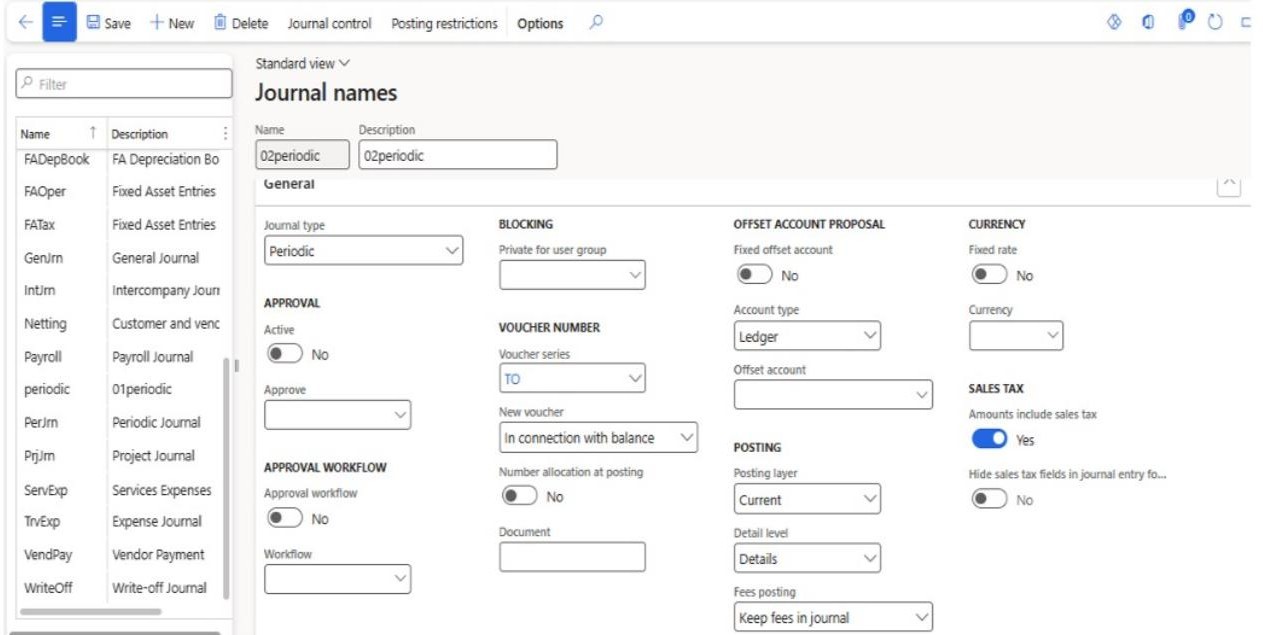

Offset Account
Used to set the default offset account and account type. If Fixed Offset Account is enabled, the default offset account cannot be changed while creating the general journal.
Currency
Allows setting a default currency and exchange rate for the journal name.
Posting Posting Layer
Determines the layer in which the accounting entry is stored and reported.
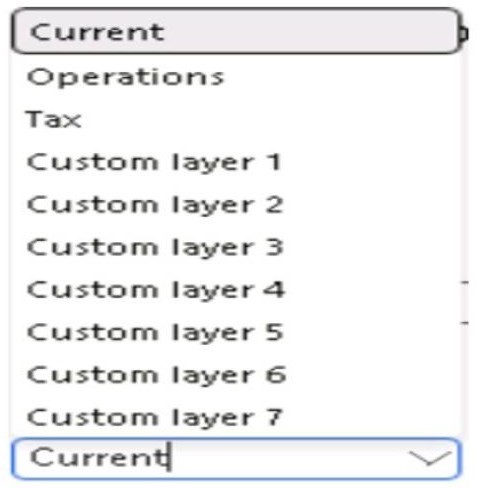

Current
Used for day-to-day business postings. Appears in Trial Balance, General Ledger reports, and Financial Statements.
Operations
Used for internal operational or managerial postings such as tracking and simulations.
Tax
Used only for tax-related postings to maintain tax-specific accounting.
Customer Layers (1–7)
Do not impact statutory books unless designed. Used for forecasts, budgets, simulations, IFRS vs Local GAAP, and management reporting.
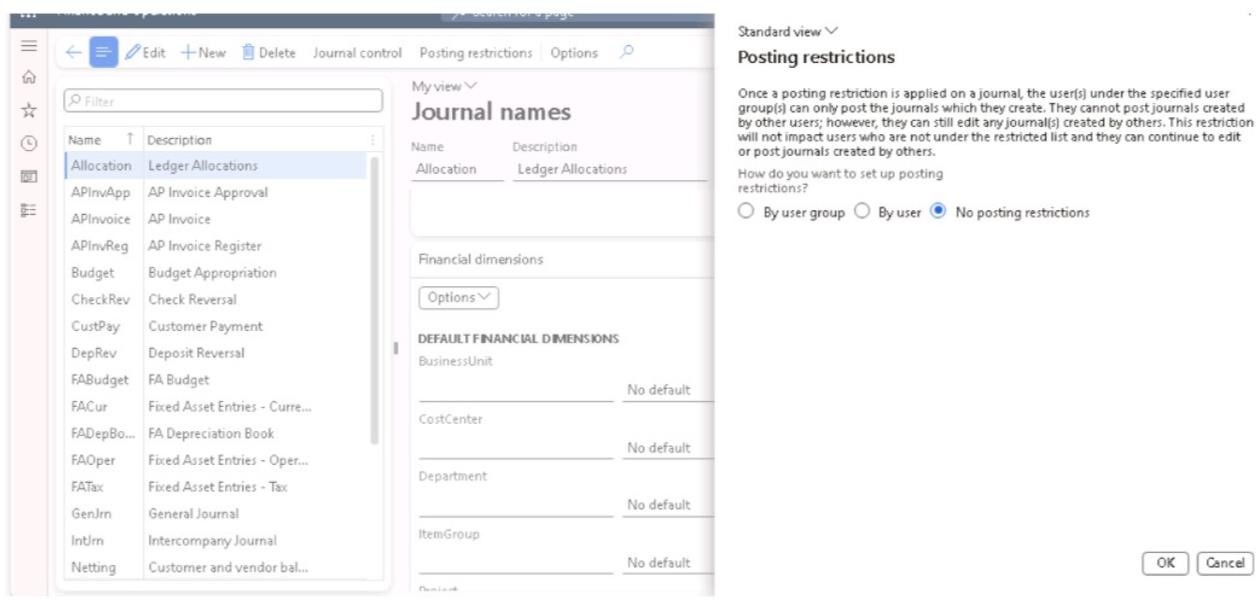
Posting Restriction
Controls who can post the journal, allowing restriction to specific users or all users.

Journal Control
Defines which accounts and financial dimensions are allowed or blocked in a journal, ensuring only valid combinations are used before posting.