
Ledger Allocations in Dynamics 365 Finance
In Dynamics 365 Finance, ledger allocations can be handled using two standard approaches
within General Ledger:
⬛¹⬛ Allocation Terms on the Main Account
⬛2 Allocation Journals
Both methods allow organizations to distribute ledger transactions across main accounts and financial dimensions — for example, allocating cleaning or utility expenses across multiple departments.
This article focuses on comparing these two allocation capabilities, supported by posting examples and a comparison summary to help choose the right approach for specific business scenarios. The Cost Accounting module is intentionally excluded, as allocations there are used only for reporting and do not post to the General Ledger.
In summary”
- Allocation Terms on Main Accounts → a simple and straightforward allocation option
- Allocation Journals → a more flexible and advanced allocation option
The allocation term on the main account is easy to configure and best suited for basic allocation needs with limited setup options.
In contrast, allocation journals offer greater flexibility, supporting multiple allocation rules, targets, and calculation methods, making them ideal for more complex allocation requirements.
Allocation Term on Main Account – Overview
Using the legal entity override on a main account, the allocation flag can be enabled. Once selected, an allocation term becomes available for that legal entity.
For example, cleaning expense costs can be automatically allocated across departments in the
USMF legal entity at posting time.
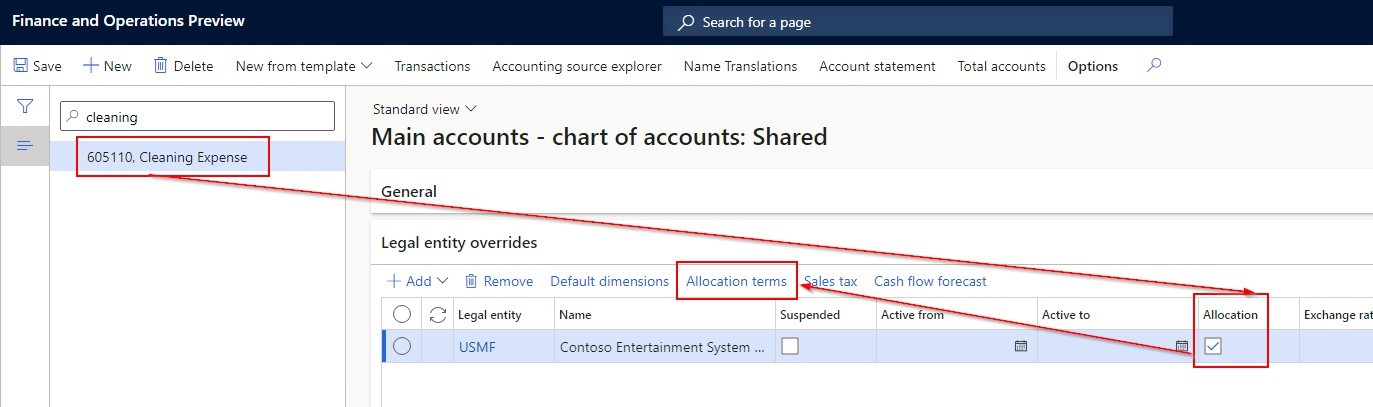
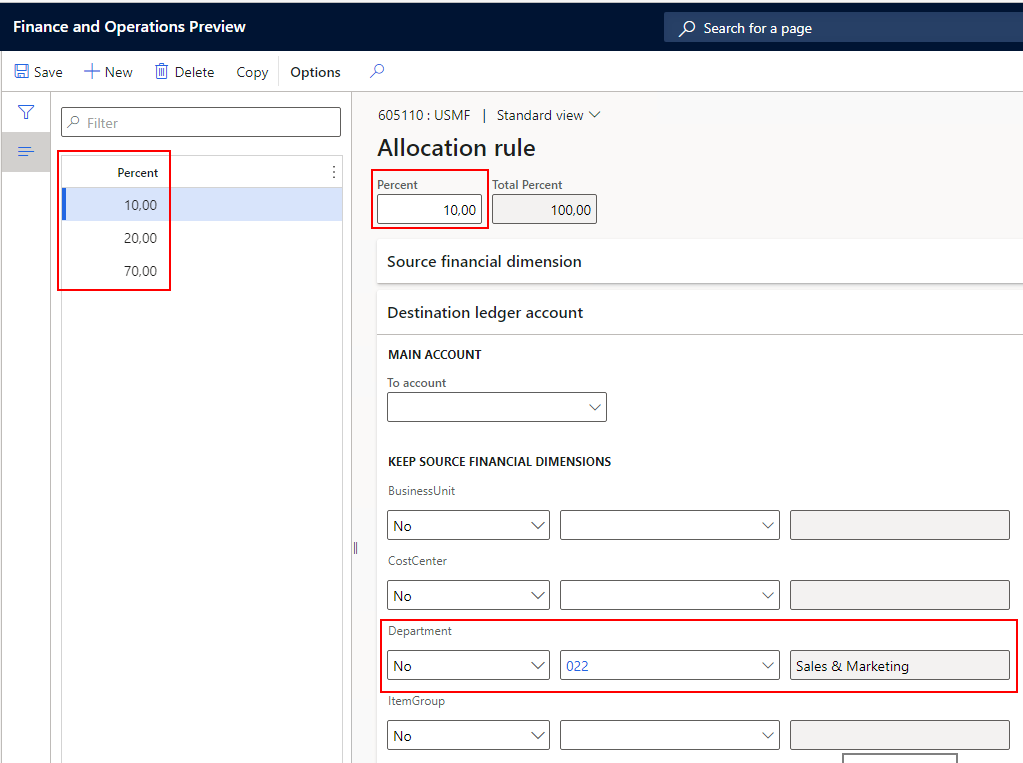
In Allocation Terms, it is possible to define rules that automatically distribute costs based on dimension conditions.
For example, when the source financial dimension (Department) is left blank during posting, the system can be configured to allocate the costs as follows:
• 10% to Department 022
• 20% to Department 024
• 70% to Department 025
This ensures that expenses are systematically and consistently distributed across departments, even when the department dimension is not explicitly entered at the time of posting.
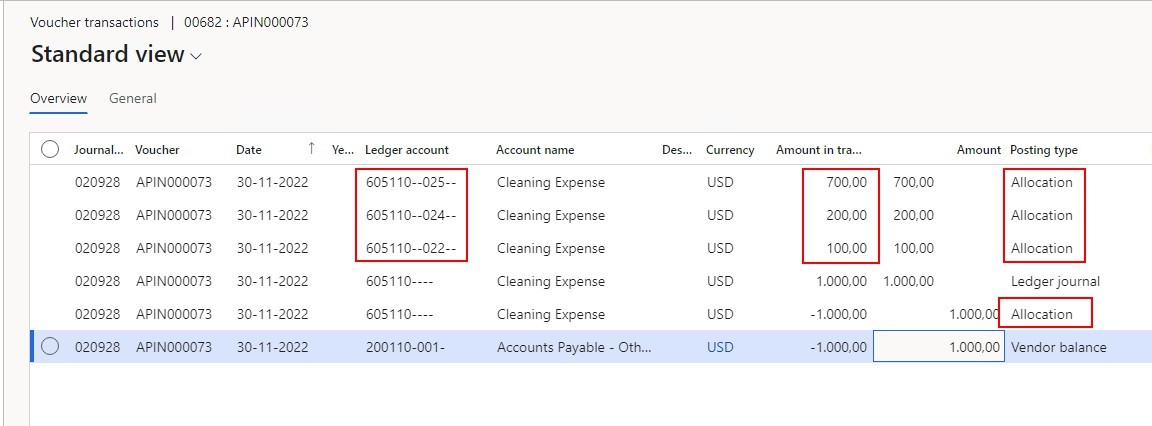
When a USD 1,000 debit is posted without a department dimension, the system automatically reallocates the amount based on the configured allocation term. The original entry is credited, and the costs are debited to the target departments with Posting type = Allocation, ensuring automated and transparent cost distribution.
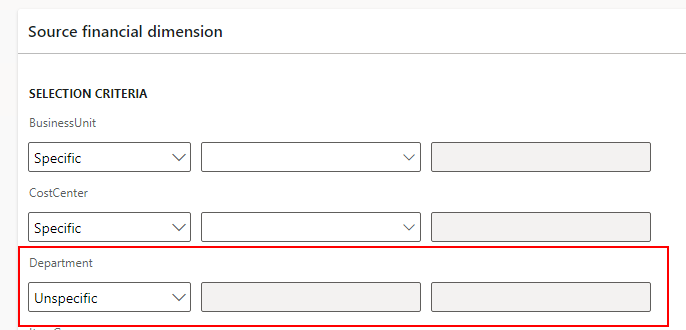
If a department value is entered during posting, the allocation does not trigger, as the allocation rule is defined to apply only when the source dimension is empty.
Behavior variants:
- Specific: Allocation applies only to a defined department value (e.g., Overhead).
- Unspecific: Allocation applies to all postings, regardless of department This flexibility allows precise control over when and how allocations are applied.
Allocation Journals represent the extended allocation option in Dynamics 365 Finance, offering greater flexibility and multiple configuration choices through a dedicated field group within the General Ledger module.
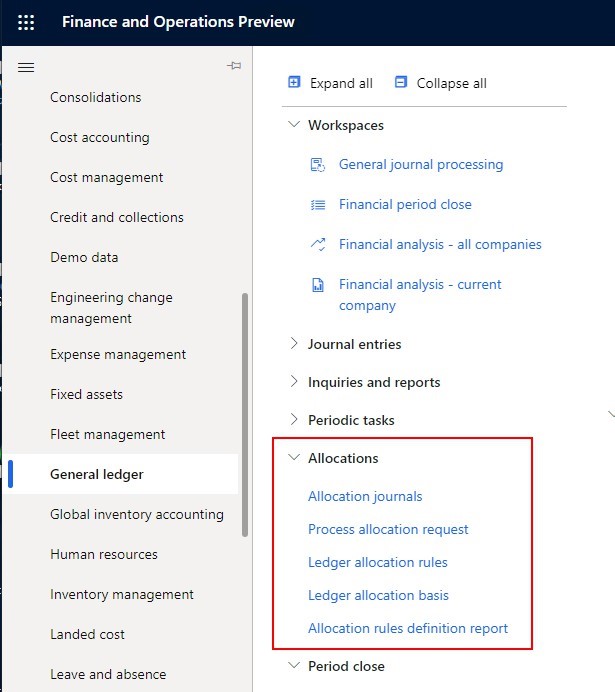
Since this functionality performs allocations via Allocation Journals, a journal name of type “Allocation” must be created to enable it. Within Ledger Allocation Rules, you can define the allocation logic, including the allocation journal name to be used for posting.
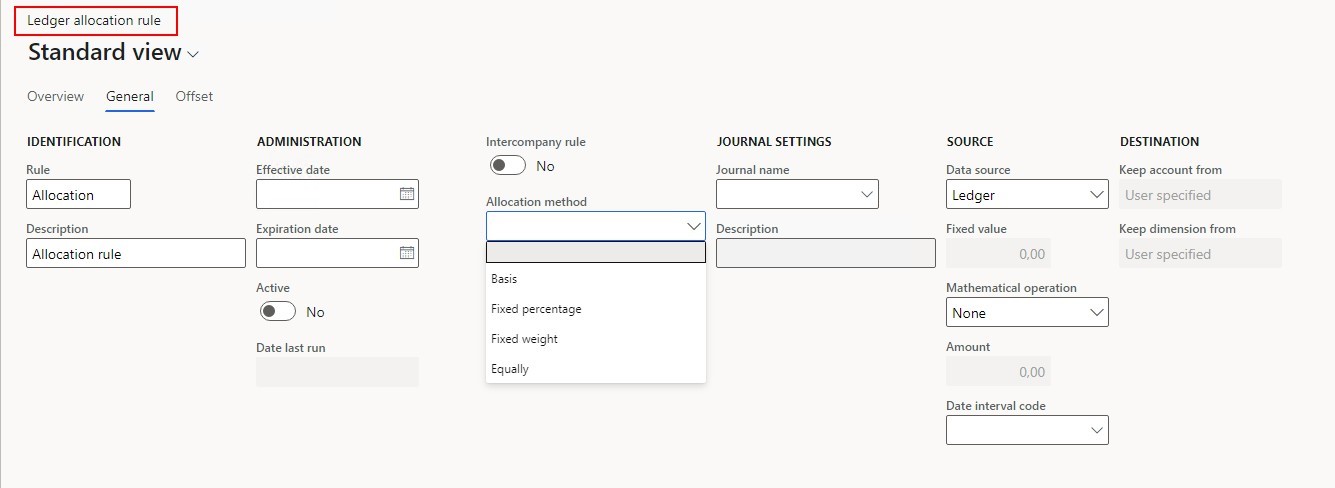
Allocation Journal – Key Highlights in D365 Finance
- Effective / Expiration Dates: Control the validity period of allocation rules
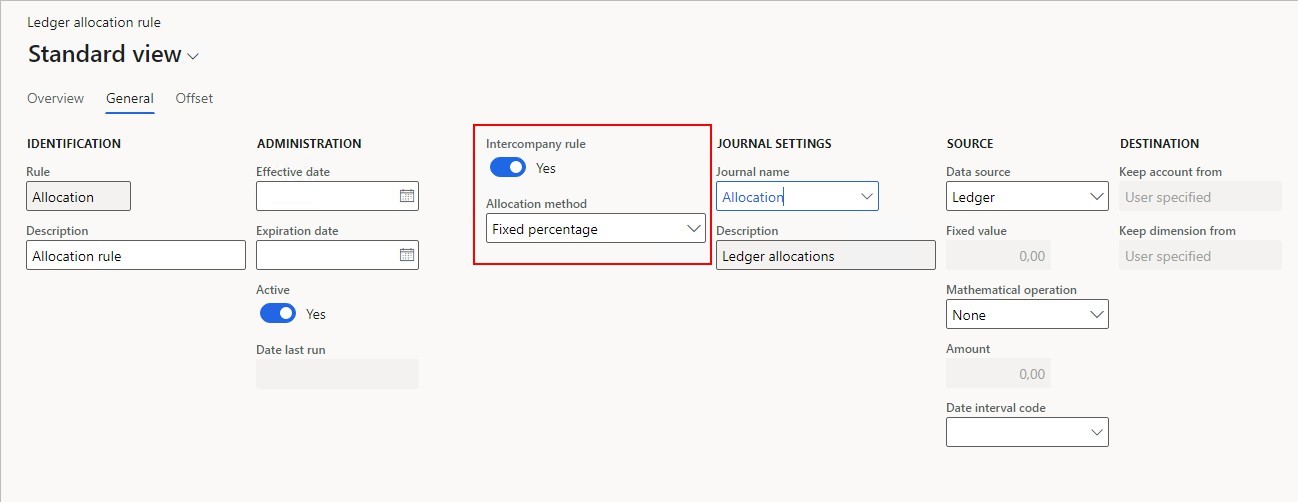
- Intercompany Rules: Enable cost allocations across legal entities (requires intercompany setup)
- Allocation Methods: Allocate by percentage, fixed amount, or basis (driven by other accounts/dimensions via ledger allocation basis)
- Source Settings: Define whether allocations are based on posted amounts, fixed values, or calculated combinations
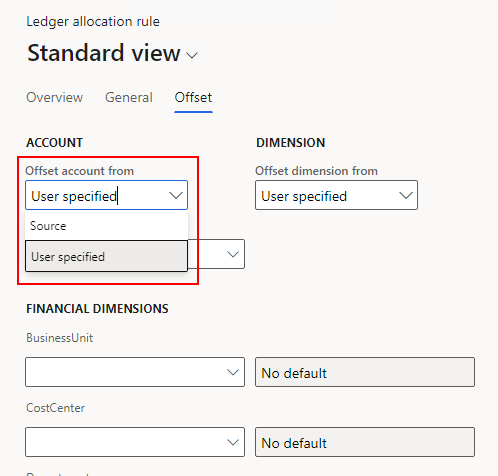
- Offset Settings: Choose whether to reverse the original source posting or post allocations using a user-specified offset account
Now let’s see this allocation option in action. In the Ledger Allocation Rule, a rule is defined so that postings on Source main account 601503 (Entertainment Expenses) are automatically allocated intercompany, using a percentage-based allocation method.
In the Destination settings, the rule is configured to allocate 50% of the costs to the same main account in USMF and the remaining 50% to the same main account in DEMF, enabling a balanced intercompany cost distribution.
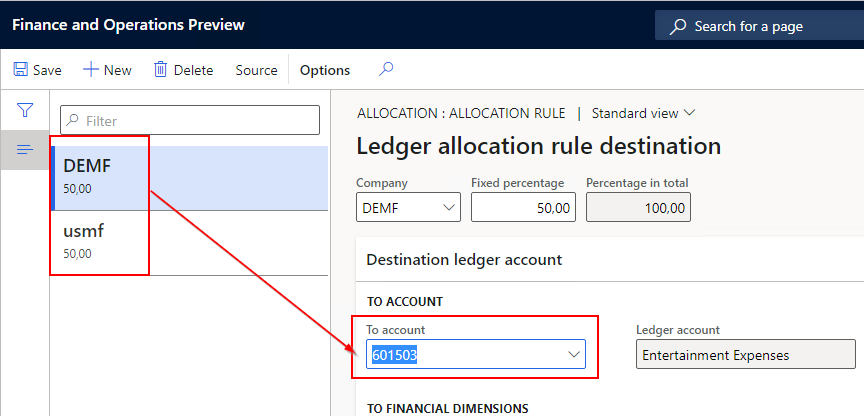
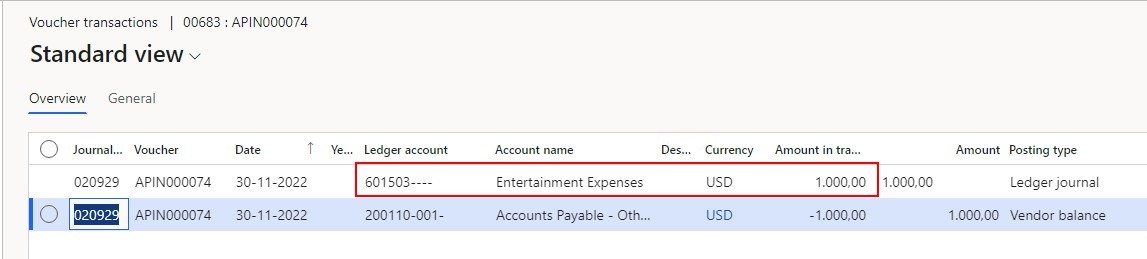
When a USD 1,000 posting is created on this main account, no allocation is applied immediately, which can be confirmed by reviewing the initial voucher.
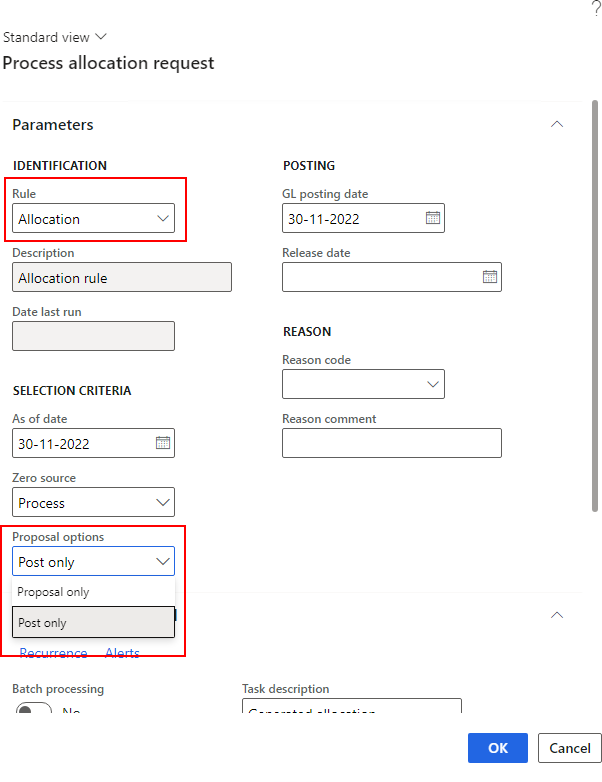
This allocation option requires a trigger. The allocation is executed when Process Allocation Request is run. In this step, the allocation rule is selected along with additional parameters — such as Proposal, which determines whether the process only creates the allocation journal or also posts it.
After running the allocation process, an Allocation Journal is generated where the amounts are split accordingly — 50% allocated to USMF and 50% to DEMF.
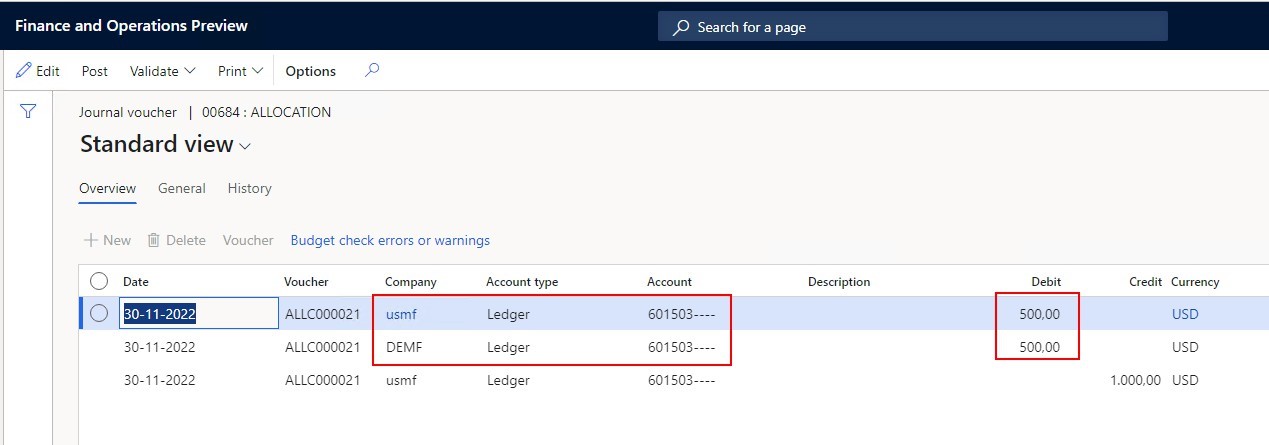
Once the journal is posted, the voucher shows that a different main account is used for the DEMF allocation, which is driven by the configured intercompany posting setup.
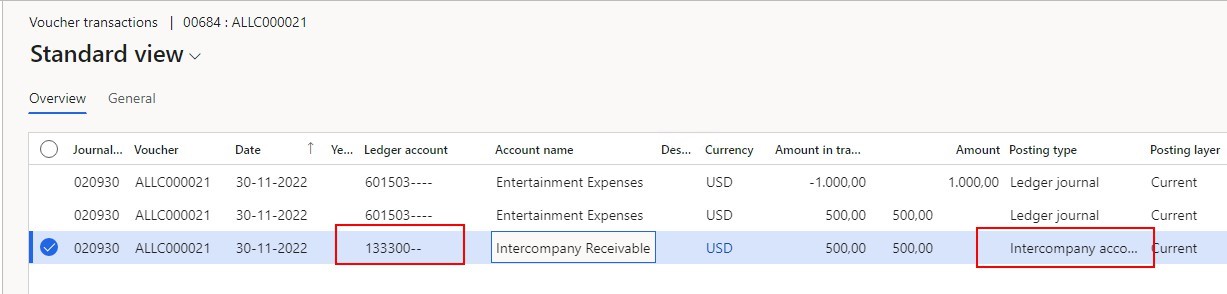
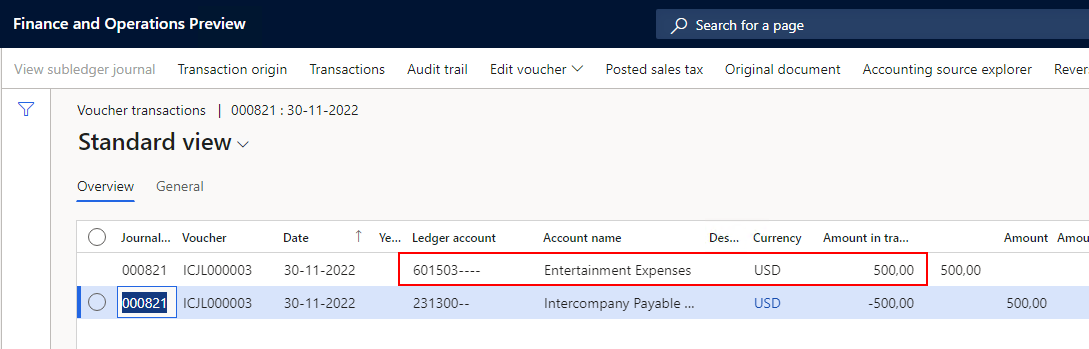
When reviewing the related intercompany voucher in DEMF, the allocated costs are posted to the
correct main account, as defined in the allocation rule configuration.
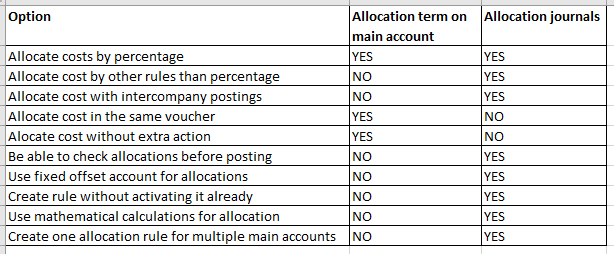
Below is a comparison of the key considerations for both Allocation Terms and Allocation Journals. For each scenario, it highlights where the functionality is supported, helping determine the most suitable approach based on specific business requirements for ledger allocations in Dynamics 365 Finance.




Leave a Reply
You must be logged in to post a comment.