
Microsoft Dynamics 365 General Ledger-Create a Journal
Create a Journal:
Journals are used to record voucher transactions to be posted to the general ledger.
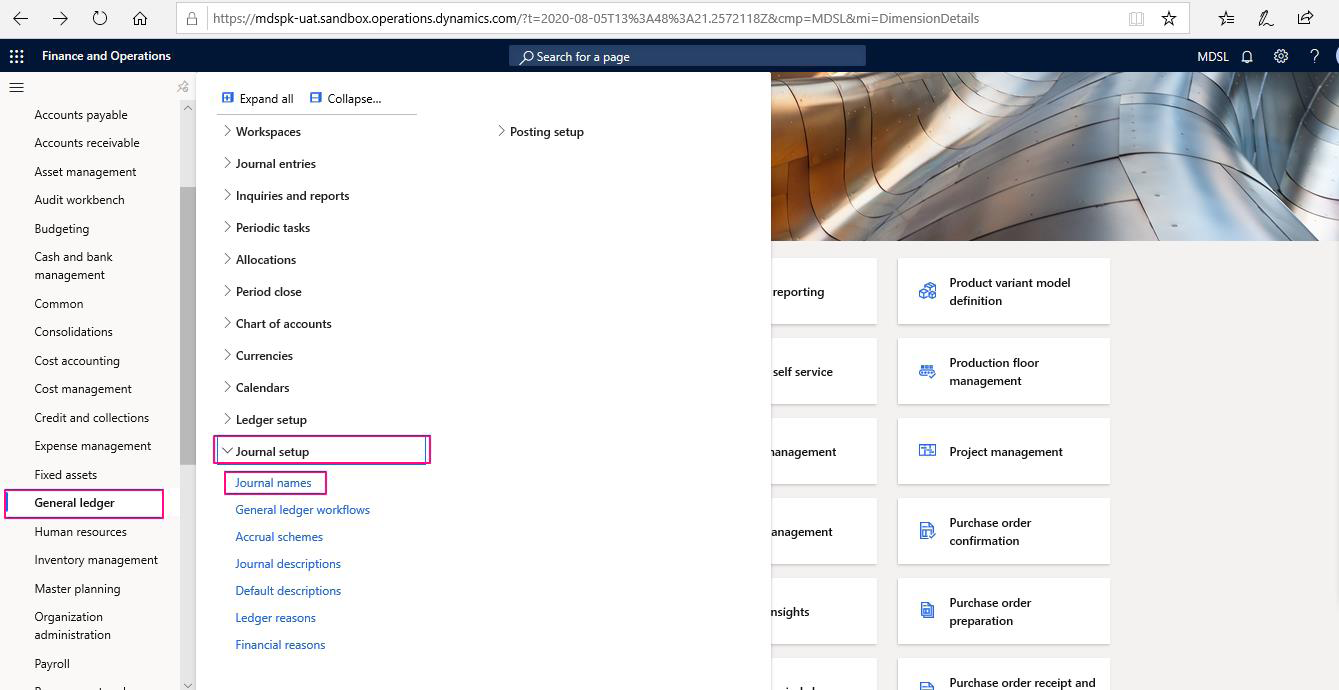
Navigate to General ledger> Journal Setup> Journal names.
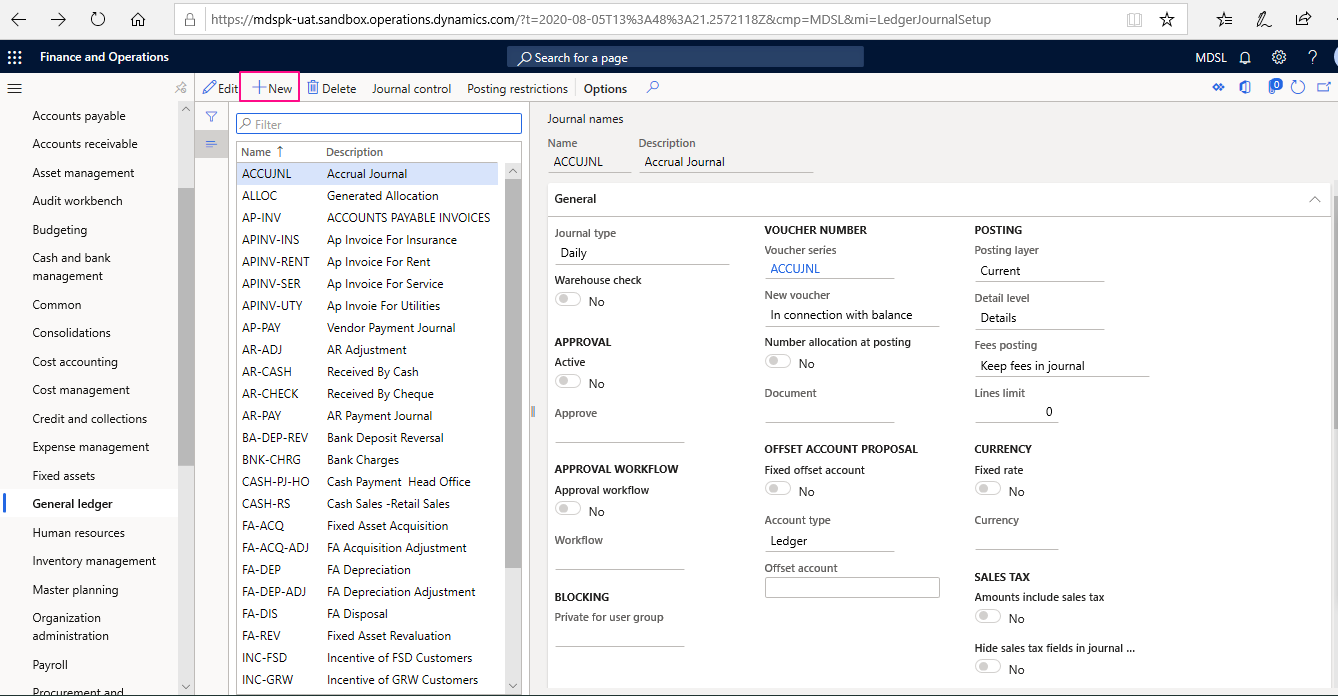
Click new to create a new journal.
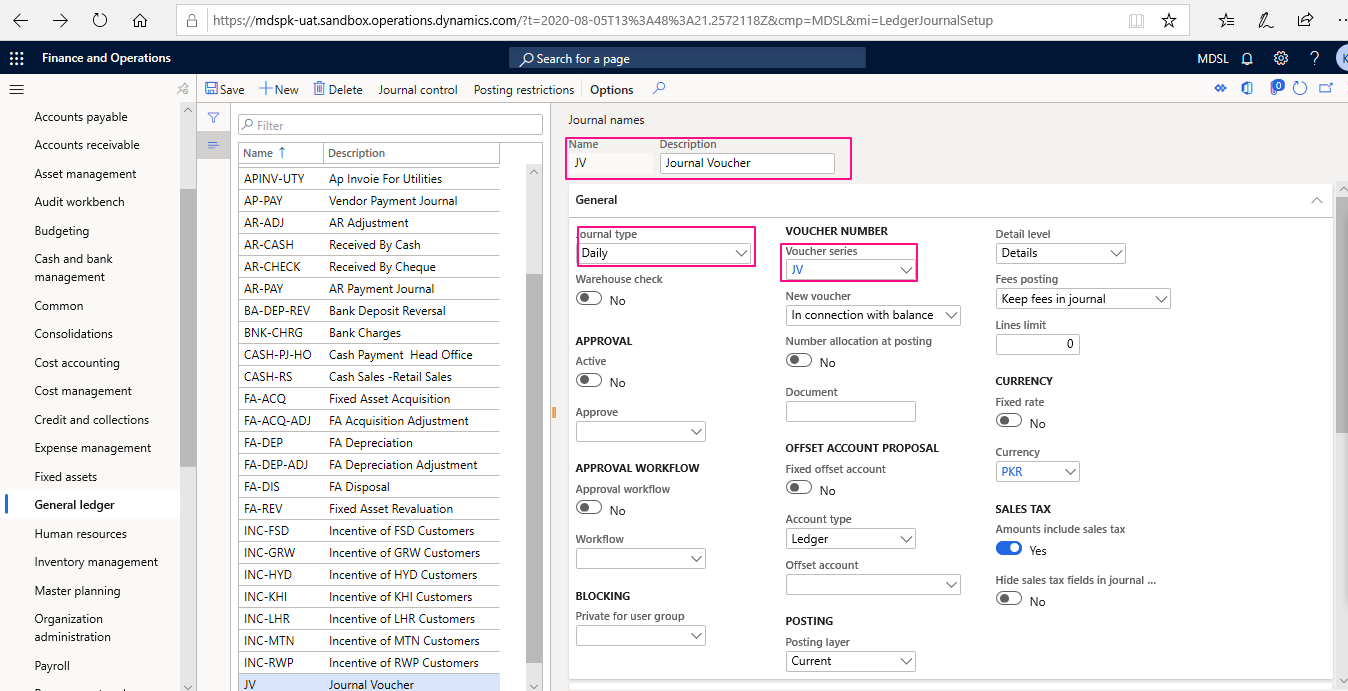
Enter the highlighted information:
– Journal name
– Description
– Journal type
– Voucher sequence
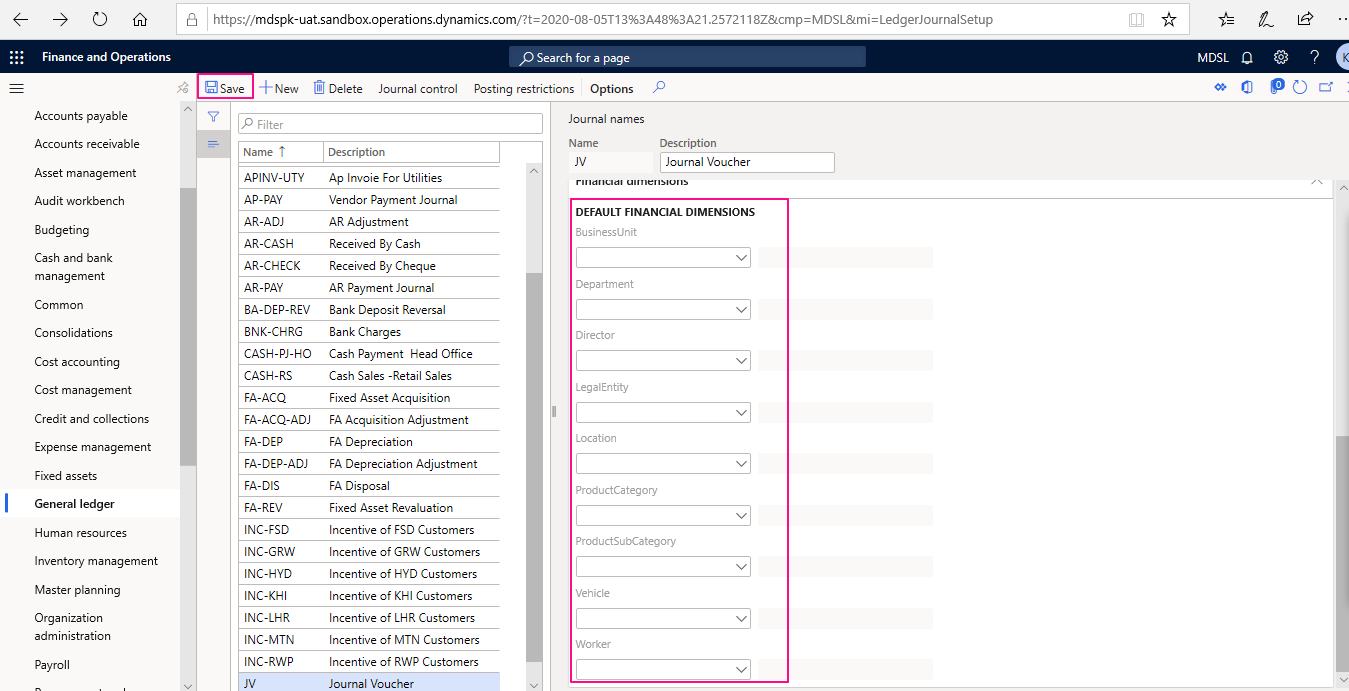
User may assign financial dimensions to Journals. To assign a financial dimension scroll down and choose desired dimensions then click save.




Leave a Reply
You must be logged in to post a comment.