
Microsoft Dynamics 365 Fixed Assets-Create a Fixed Asset
Create a Fixed Asset:
To create a Fixed Asset user will, Go to>Fixed Assets>Fixed Assets>Fixed Assets
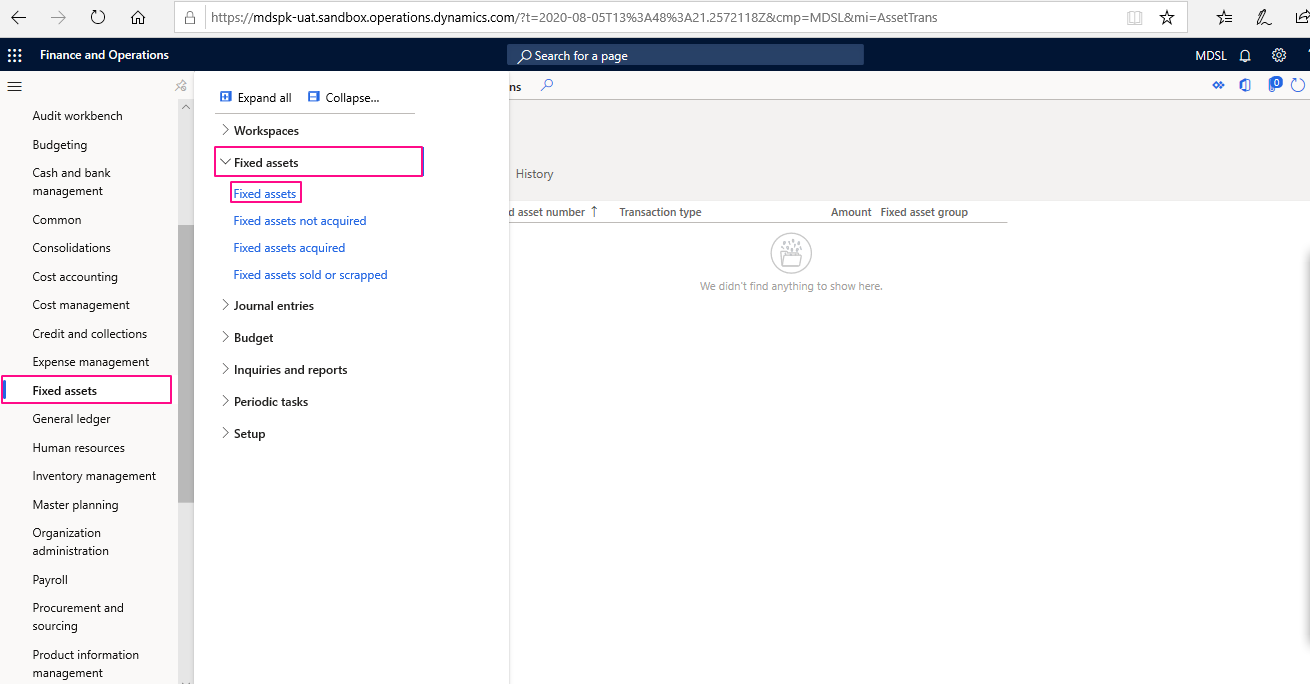
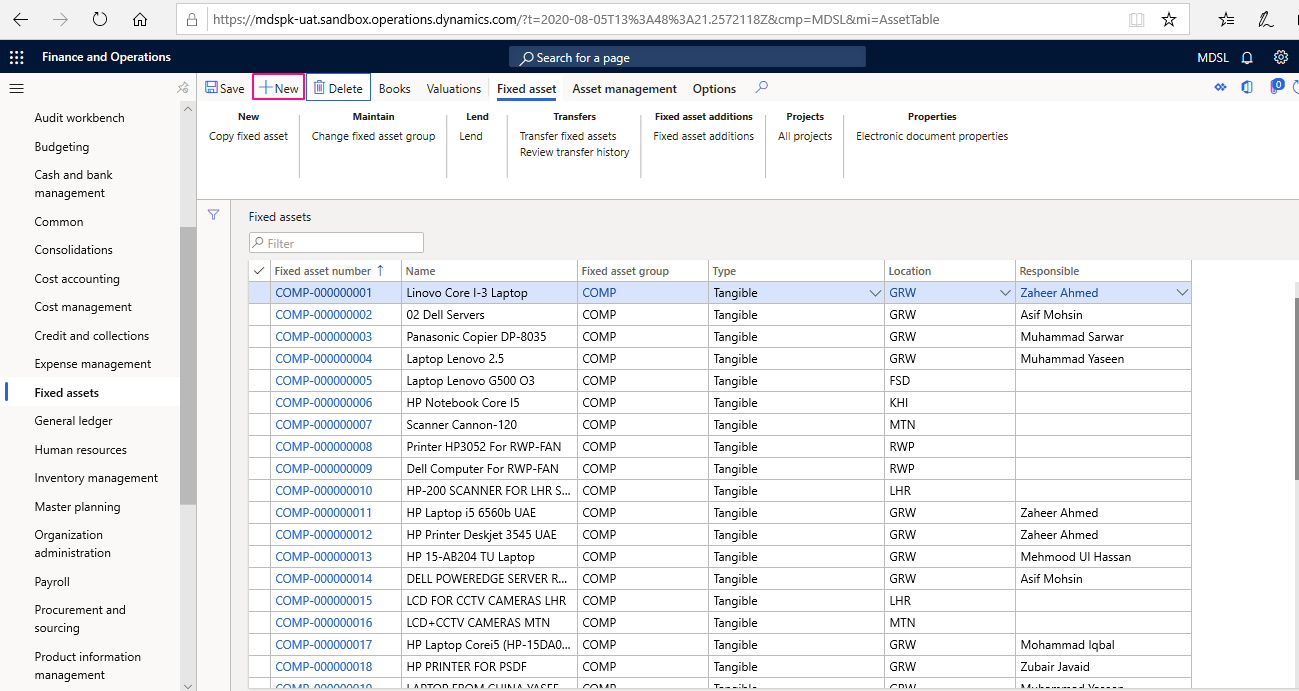
Click New to create a new Fixed Asset and enter all the relevant details
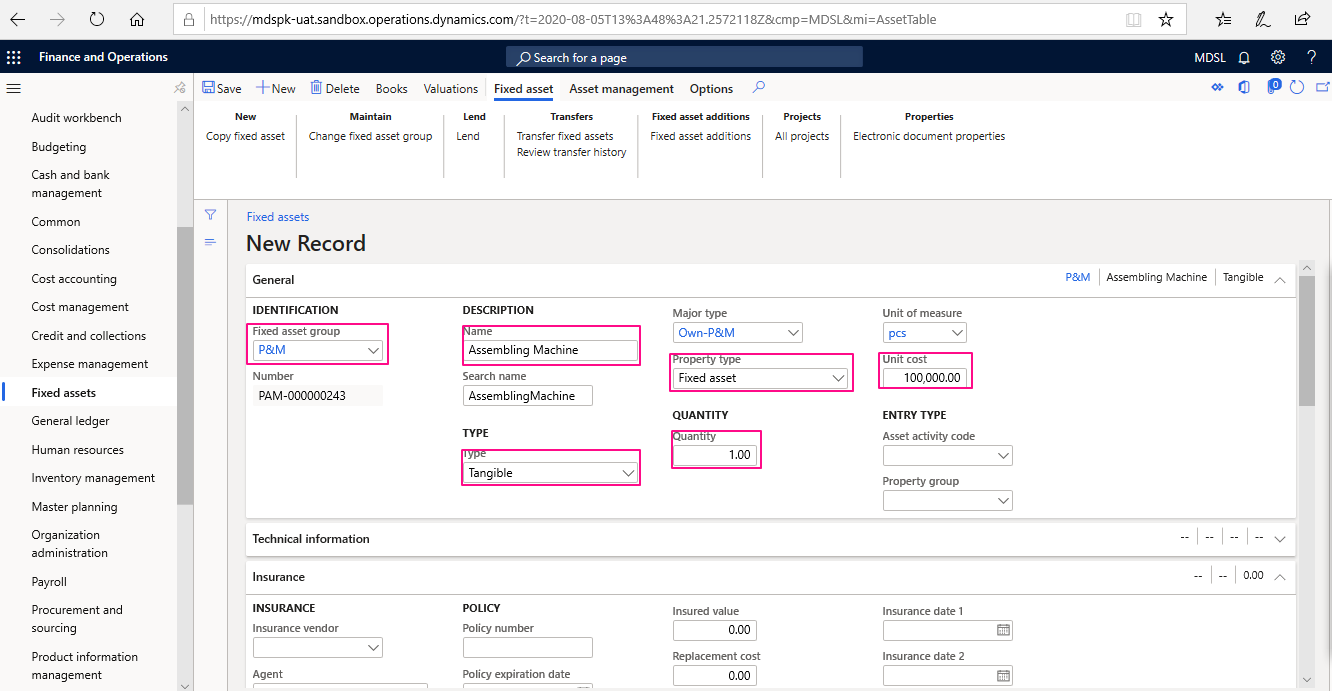
A New form will be opened enter & Choose all the required details:
– Fixed Asset group
– Name
– Type
– Cost
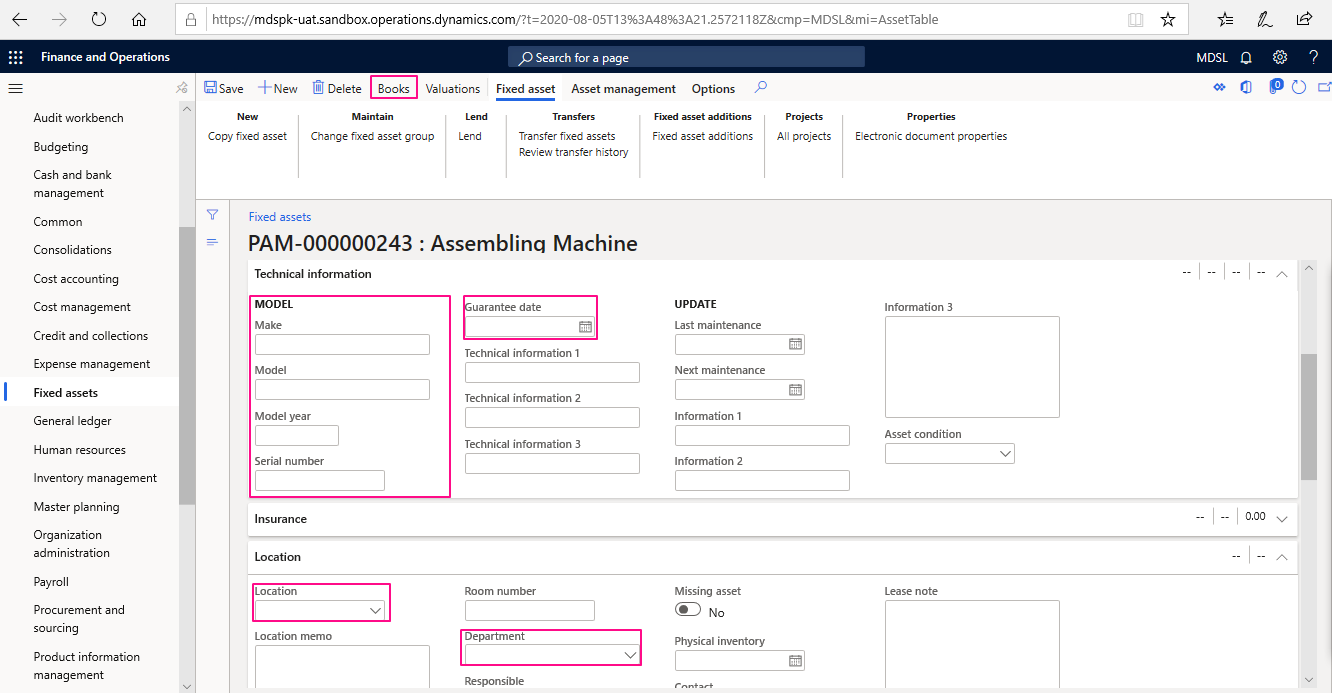
– Model information
– Location & Warranty information
Scroll down Fixed Asset creation form and enter additional information as mentioned above, Choose Books from Navigation tools to select a depreciation Book created earlier
Fill the Depreciation Book form and enter the following information:
– Choose depreciation book
– Posting Profile
– Acquisition price
– Enable depreciation & choose Depreciation Profile
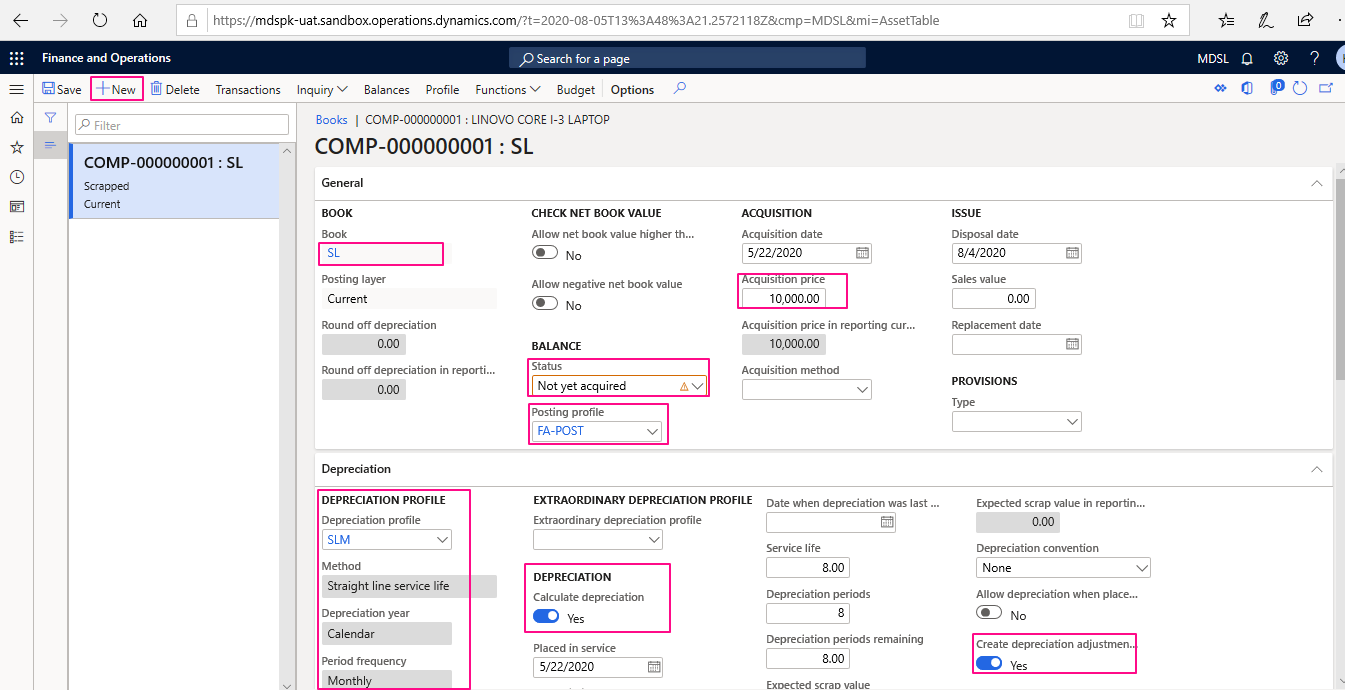
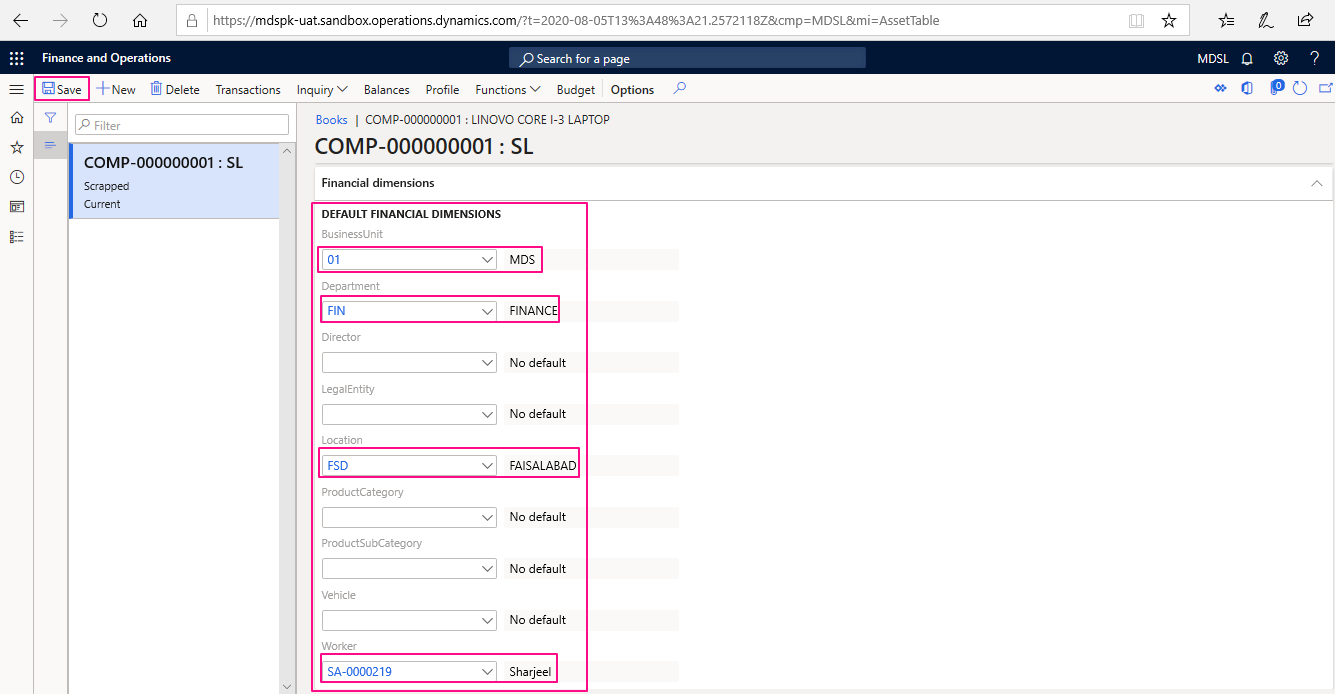
Scroll down to choose Fixed Asset Financial dimensions and then save. The Fixed Asset must be created with the status “Not yet acquired”




Leave a Reply
You must be logged in to post a comment.